Chain Bridge

Contents
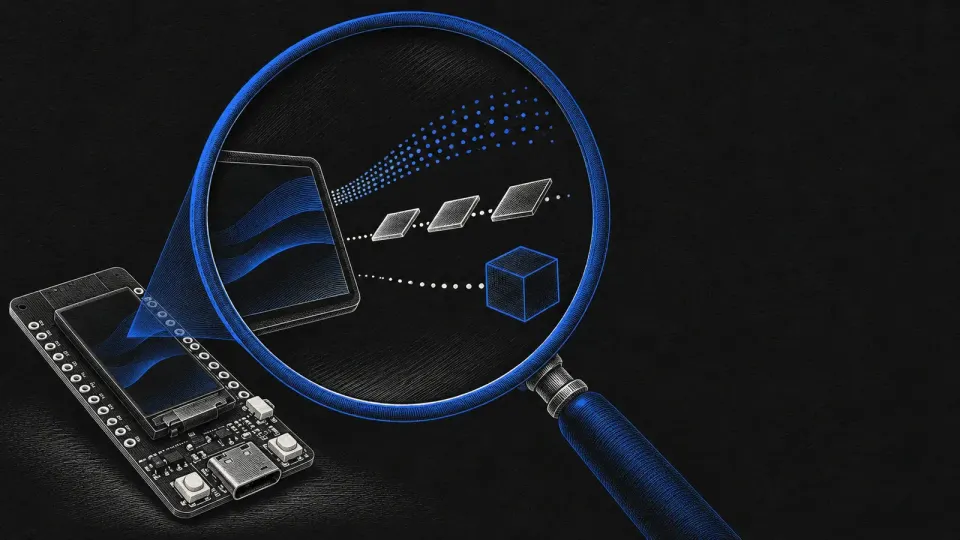
A NerdMiner's hashrate shows its local hashing activity, while block templates show work arriving from the pool. Shares and valid blocks describe different results: a rising share count doesn't mean you're partway toward winning a Bitcoin block. Start with the firmware name, then read the fields below for the original NerdMiner_v2 display.
Match the screen to the firmware
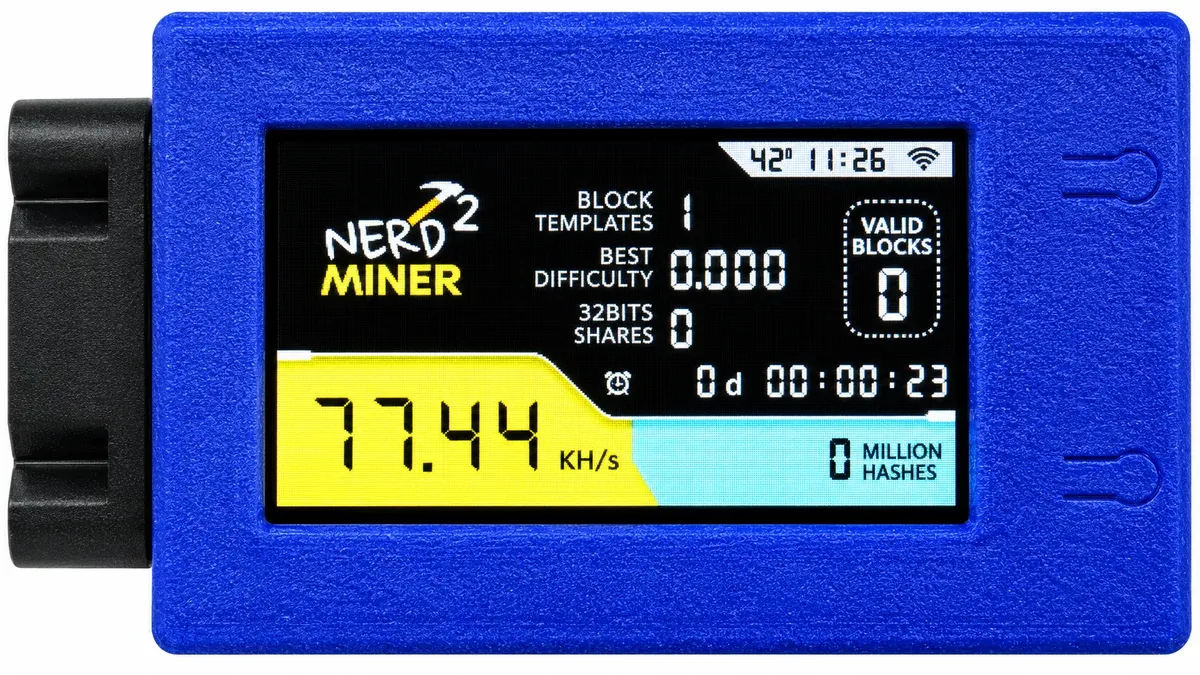
The familiar landscape screen has a large KH/s reading at the bottom left, mining counters in the middle and a Valid blocks box on the right. This explanation follows the original project's V1.8.3 T-Display screen implementation. Other supported boards can arrange the same information differently.
I'd identify the software before interpreting an unfamiliar label, because the same ESP32 board can run different projects. NMMiner has its own interface and accounting. Older original NerdMiner screens can also show a 16BITS SHARES field where later layouts show best difficulty. The firmware guide covers identifying the board and software; changing firmware isn't necessary just to understand a counter.
Use a brief click to cycle screens. Holding the screen-change button for five seconds can reset saved configuration. The original project's button instructions distinguish one-button boards from two-button models; on the latter, with USB-C to the right, the top button changes screens. Follow your board's mapping rather than guessing from a rotated case.
Read the mining fields together
The project's display-data code connects each label to a specific counter or calculation. Keep its unit and purpose together when comparing readings.
| Field | What it tells you |
|---|---|
| KH/s | Calculated local hashing rate in thousands of hashes per second, averaged over recent samples. It doesn't establish pool acceptance or income. |
| Million hashes | Accumulated hashing work expressed in millions. It isn't a Bitcoin balance or a count of blocks. |
| Block templates | Pool work notifications processed by the miner. An increasing count shows fresh work arriving; it doesn't count blocks you found. |
| Best difficulty | The highest difficulty recorded from the miner's acknowledged submissions. Larger means a stronger recorded result, not a faster device. |
| 32BITS SHARES | Recorded submissions meeting the firmware's 32-zero-bit condition. This is a narrower counter than all the low-difficulty work a compatible pool may accept. |
| Valid blocks | Results that meet the job's Bitcoin block target and are recorded after the pool response. Zero doesn't diagnose a connection fault. |
| Elapsed mining time | The accumulated time counter. Its history can survive a restart when statistics saving is enabled. |
There is a useful version detail here. In V1.8.3, the submission-response handling updates best difficulty and the share/block counters after a matching response it treats as successful. Hashing locally, sending a result and recording the pool's response are separate stages. Use the pool's address-based statistics and rejection messages when checking accepted work; the local screen alone isn't a payment record.
Keep best difficulty separate from block progress
Best difficulty is a record of a result, so it can stay unchanged while the miner continues hashing. It isn't the pool's assigned share difficulty, and raising the record doesn't configure the pool or increase your hashrate. Display suffixes such as K or M shorten large values; they aren't percentages.
A Bitcoin block needs a header hash that meets the network target, as the proof-of-work explanation describes. Many easier shares don't add together to satisfy that target. Nor does a near miss make the next attempt more likely to succeed. I wouldn't reset a working miner because Valid blocks remains zero: that counter asks a much harder question than whether the pool is sending work.
A zero 32-bit-share count can coexist with accepted lower-difficulty submissions. Check the operator's worker statistics and use a pool that supports NerdMiner's low difficulty. Changing pools just to make one screen counter move can hide whether the original connection was working.
Separate network information from your results
The clock and price screens mix local hashrate with external information. Bitcoin price is a market quote; block height identifies the chain's position. Neither represents coins earned by this device. A working clock or changing price also doesn't establish that the separate mining connection is receiving jobs.
On the global-statistics screen, network hashrate and network difficulty describe Bitcoin as a whole. V1.8.3's data code reads the fee field from a halfHourFee recommendation and displays it in sat/vB. It's a transaction-fee-rate estimate, not the miner's electricity cost, pool fee or accumulated earnings. The remaining-blocks calculation tracks the next subsidy halving; it isn't a countdown until your miner wins.
The small temperature reading comes from the chip's sensor, while the wall clock uses the configured time-zone offset. Keep that clock separate from elapsed mining time when deciding whether the device has restarted.
Check changes before erasing the configuration
Compare readings while the miner stays powered: look for fresh templates, ongoing local hashing and accepted work at the pool. If templates stop arriving, or the miner returns to its setup hotspot, follow the connection checks by symptom. Those branches lead to different checks; a zero block counter alone leads to neither.
Don't assume every counter means “since the last power-on.” The original project's statistics-saving code can restore best difficulty, hashes, shares, valid blocks, templates and accumulated time when SaveStats is enabled. A restart and a statistics reset can therefore have different effects. Record your firmware, labels and pool details before changing anything.
For a fresh installation, use the first-setup guide to establish Wi-Fi and pool access. Once work is arriving, the mining hub connects the display checks with pool selection and board-specific firmware guidance.