Chain Bridge

Contents
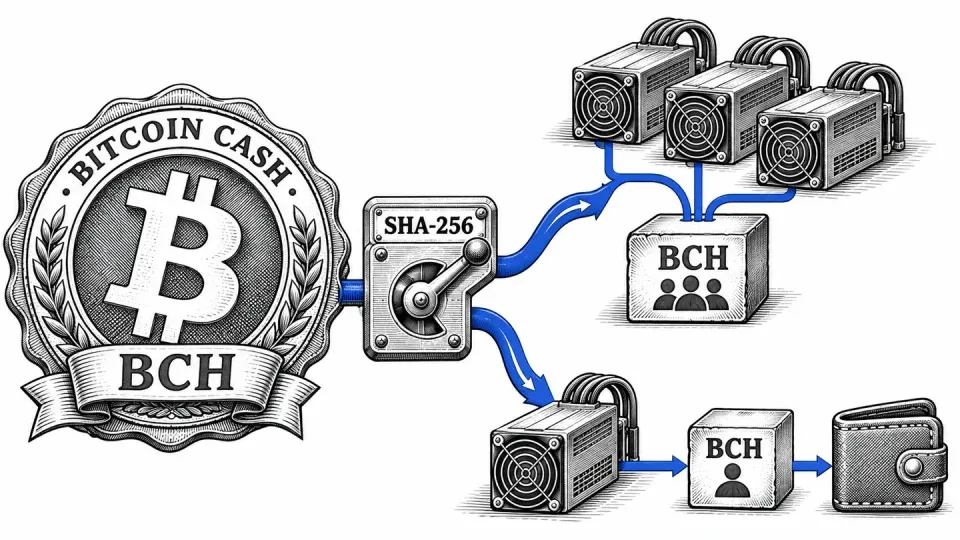
For shared BCH rewards, choose a Bitcoin Cash pool that supports your SHA-256 ASIC and pays the asset you want to receive. I'd start by comparing f2pool's lower native-BCH payment floor with 2Miners' lower PPLNS fee, then check the account or wallet identity required by each. Choose hosted solo mining only if you're prepared to receive nothing until your miner finds an eligible block.
Keep the BCH chain separate from Bitcoin
Bitcoin Cash and Bitcoin use SHA-256, so a supported Bitcoin ASIC can also work on BCH. That hardware compatibility doesn't make the coins or pool endpoints interchangeable. The f2pool Bitcoin Cash guide lists suitable ASICs and a dedicated BCH server. Its BTC connection settings belong to a different mining route.
Check your exact miner model against the chosen operator's instructions. A CPU or GPU mining app isn't a substitute for an efficient BCH ASIC setup; f2pool explicitly excludes CPUs and GPUs from its efficient BCH hardware options. Before committing an existing ASIC, compare expected BCH revenue with its electricity and cooling costs. A successful connection alone doesn't establish profitability.
Compare shared rewards and direct solo rewards separately
f2pool offers PPS, or pay per share. 2Miners uses PPLNS, or pay per last N shares, with rewards tied to eligible pool blocks and the relevant share window. SoloPool takes a different approach: your own miner must find the block, and the reward is assigned directly to your address in the block's coinbase transaction. Its pool has no balance to withdraw.
Focus the table and scroll sideways to compare reward and native-BCH payment conditions.
| Service | Published conditions | Choose it for this requirement |
|---|---|---|
| f2pool | 3% PPS fee and a 0.01 BCH minimum. Requires an account; the payout wallet is set separately. | A shared route with a lower native-BCH payment floor than 2Miners. Daily payment still requires an eligible balance. |
| 2Miners | 1% PPLNS fee and a 0.05 BCH native minimum. Automatic payment checks every two hours; BCH payment fees are covered. | An address-based shared route with a lower published pool fee. Accept block-dependent credits and the higher balance needed for payment. |
| Kryptex | 3% PPS+, a 0.01 BCH minimum and a separate 1.5% SOLO offer. Native-coin and account auto-conversion routes are listed. | Another shared option if its receiving route fits. Confirm the worker format: the connection panel uses a slash while the lower setup text shows a dot. |
| SoloPool | 2% solo fee. Noncustodial block rewards go directly to the winning miner's address; no pool balance, payout or withdrawal system. | Deliberate own-block mining with a compatible receiving wallet. A large pool hashrate doesn't entitle your miner to other miners' rewards. |
The fee percentages belong to different reward arrangements. A lower fee alone can't establish a higher net return. In particular, 2Miners' BCH PPLNS explanation uses the last 1,000,000 shares to calculate a miner's portion of a reward. A payment check every two hours doesn't turn that reward method into fixed hourly income.
The minimum also affects how long funds remain at a shared pool. At an illustrative confirmed-balance growth of 0.002 BCH per day, reaching 0.01 BCH from zero takes five days; reaching 0.05 BCH takes 25 days. This is a threshold calculation, not a mining forecast. The pool's next payment check and any receiving-wallet confirmation requirements come afterward.
Use the Bitcoin Cash pool directory to find candidates, then open their own BCH instructions. Its shared and SOLO rows describe different reward choices. A search result for a Bitcoin operator isn't enough: Braiins' current pool page advertises Bitcoin and BTC, so that page doesn't establish a BCH connection.
Prepare the receiving wallet before sending work
For native BCH at 2Miners, use your own Bitcoin Cash receiving address in the bitcoincash:.. or q.. format described in its BCH setup instructions. The same service accepts BTC and TON receiving addresses, which change the payment asset and its costs. If an exchange supplies an older 1.. BCH address, use the official address converter linked by the operator rather than guessing a new prefix.
Confirm that an exchange accepts the intended asset, network and type of incoming payment before using its address. I'd use a personal wallet for SoloPool because its noncustodial reward FAQ warns that some exchanges don't support direct coinbase transactions or delay crediting them. Coinbase here means the block's reward transaction, not an instruction to use a particular exchange.
With f2pool, add the BCH payout address in Payout Settings for the intended mining account before directing work there. Its payout and account rules say revenue can be treated as a donation if no payout address is set for 90 days or longer. Adding or changing the payout address also pauses payments for three days while revenue remains in the account balance. An accepted worker doesn't prove that the account is ready to pay.
Use one operator's complete BCH connection settings
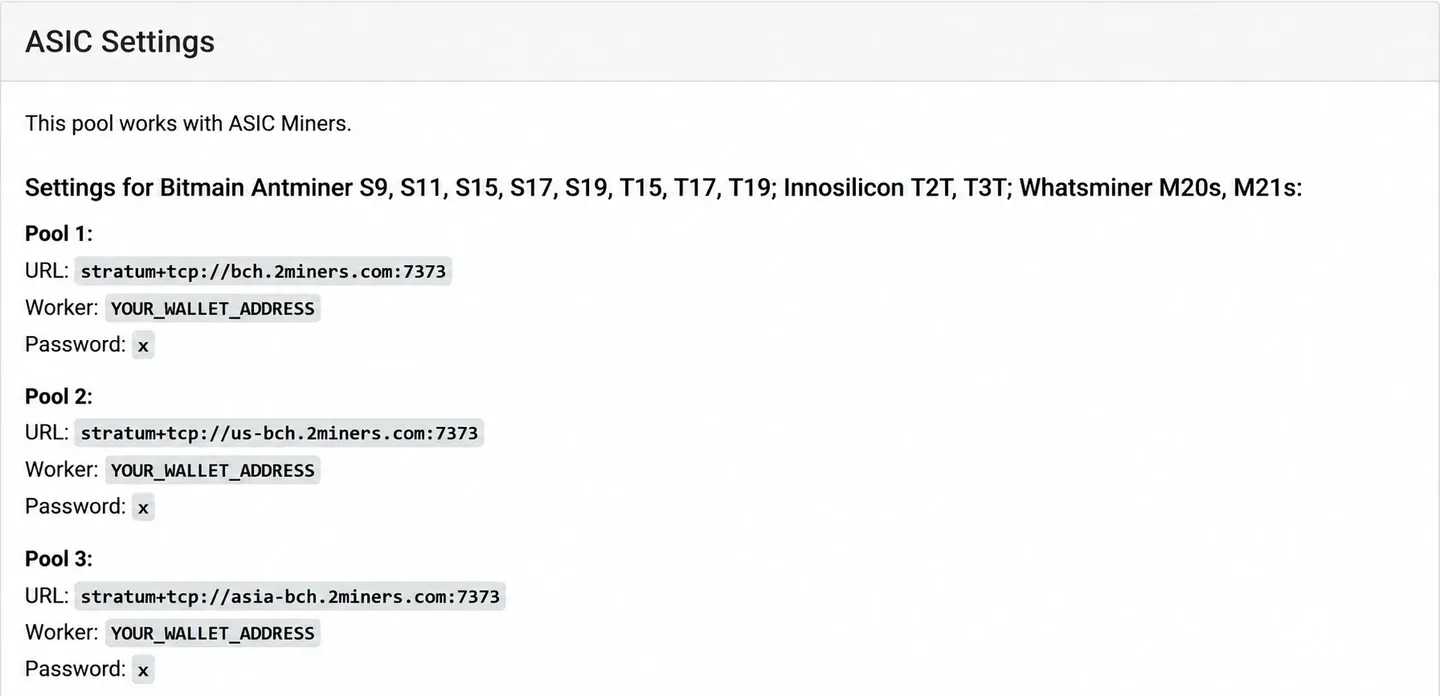
For a supported ASIC on the 2Miners US route, the documented fields are URL stratum+tcp://us-bch.2miners.com:7373, Worker YOUR_WALLET_ADDRESS and Password x. Replace the wallet placeholder with your own receiving address. These fields use the standard TCP route; its separately listed SSL port isn't a replacement to paste into the same protocol.
f2pool uses a different identity. Its BCH URL is stratum+tcp://b4c.f2pool.com:1228, with Username miningAccountUsername.workerName and a password of your choice. Get miningAccountUsername from Account Settings. The worker suffix is optional, but a distinct name makes each miner easier to monitor. The payout wallet belongs in the account settings, not in place of that username.
For deliberate SoloPool use, its current BCH mining settings list the US host us1.solopool.org with low port 8002, Worker YOUR_ADDRESS.RIG_ID and Password x. Replace the address and optional rig label with your own values. The operator recommends the low port in most cases; higher share difficulty reduces share frequency and doesn't improve block-finding chances.
I'd keep the operator's hostname, protocol and identity together rather than borrow a familiar BTC setting. Save the previous configuration before changing the miner, and check any backup pool entries as well. A fallback connection should lead to the chain, reward mode and destination you intended.
Verify accepted work before tracing a payment
After saving the connection, look for accepted shares at the miner and the intended worker on the correct BCH service. For f2pool, confirm the mining account as well as the worker name. Its support guidance says worker statistics appear after the first valid share; a missing worker calls for checking the server URL and account identity before changing unrelated settings.
At a shared pool, follow the reward through its stages. A submitted share, an unconfirmed reward and a confirmed balance above the threshold aren't the same thing. f2pool pays daily when the unpaid balance reaches the threshold by 00:00 UTC. At 2Miners, eligible block rewards must confirm and the payment check must run. Inspect the pool's payment record before concluding that the receiving wallet has lost a transfer.
Once a payment has a transaction ID, follow it on the BCH network and compare the destination with your receiving address. An exchange may require further confirmations before crediting the deposit. For f2pool, the Revenue page provides the account's payment transaction IDs; for 2Miners, use the payment record in the address statistics.
SoloPool has a different check. Without your own eligible block, accepted shares and elapsed time don't produce a reward. After a block, inspect the coinbase assignment and wait for the network confirmations needed before the reward becomes spendable. Searching for a pool withdrawal button won't advance that process.
Before moving an ASIC again, check any shared pool's unpaid balance and remaining payment requirements. Use the mining pool library for the next connection or reward question, or return to the mining hub to reassess the equipment and operating costs.