Chain Bridge

Contents
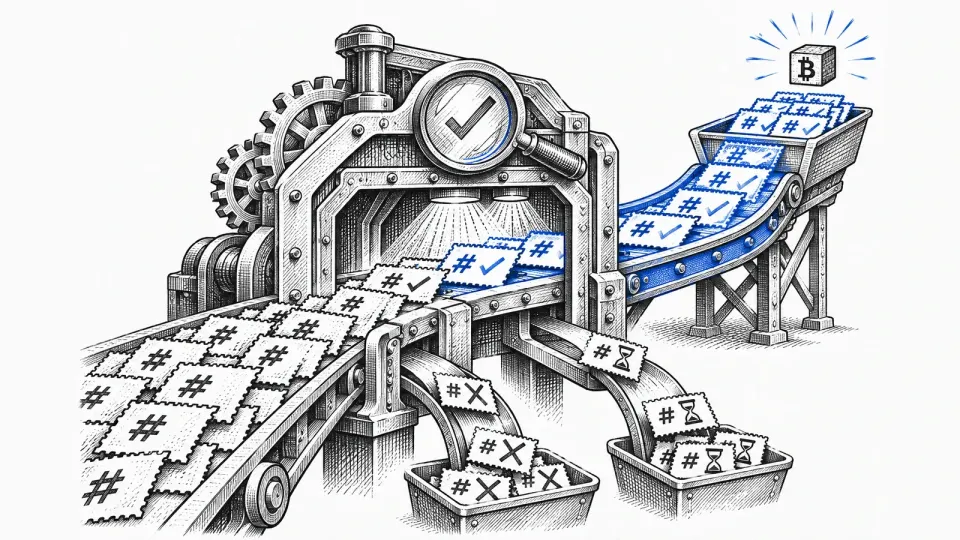
A mining pool share is a hash result that meets the pool's reporting target and lets the operator estimate your contributed work. Most shares don't meet Bitcoin's much harder block target. To check whether your miner is contributing, look for recent pool-accepted shares, then compare difficulty-weighted work over matching time windows; a rising local counter alone doesn't establish acceptance or payment.
I'd check the assigned difficulty before reacting to a drop in share count. A pool can ask for fewer, harder shares while your miner continues doing the same amount of hashing. If submissions are being rejected, the rejection reason determines the next check.
Separate a reporting target from a Bitcoin block
The Bitcoin developer guide's pool-mining explanation describes an easier target that gives miners a way to prove they're working between block discoveries. A submitted share must satisfy the relevant job and pool rules. A result that also meets the network target can be a block candidate, but the block still needs to be valid and accepted by the network.
Shares aren't pieces that eventually assemble into a block. Each hash has its own chance of meeting the target. Lowering share difficulty makes reportable results more frequent; it doesn't lower Bitcoin's network difficulty or improve the block-finding chance of each hash. A high best share records a past result, rather than progress saved toward a future win.
Keep three stages separate: your miner finds a result, the miner submits it, and the pool accepts or rejects it. In Stratum V1's submission response, result: true means accepted; a false result or error means it wasn't accepted. Job delivery or a successful connection comes earlier in that sequence.
Compare work at the assigned share difficulty
Assigned share difficulty is the threshold the pool asks your miner to meet. The difficulty achieved by a particular hash can be much higher. For ordinary contribution accounting, use the assigned difficulty credited for each accepted submission; don't add up your best-share records or assume an unusually strong hash earns a matching bonus.
For Bitcoin hashing, the difficulty-to-work relationship gives an approximate mean interval of d × 2^32 / h seconds between shares, using assigned share difficulty d and hashrate h in hashes per second. The following calculation assumes a constant 1 TH/s, fixed difficulty, continuous operation and no work losses. These are calculated expectations, not measured submission rates or deadlines.
Scroll sideways to compare the two difficulty settings.
| Assigned share difficulty | Mean interval | Expected shares per minute |
|---|---|---|
| 1,000 | About 4.295 seconds | About 13.97 |
| 10,000 | About 42.95 seconds | About 1.40 |
The second setting produces one tenth as many shares on average, with ten times the assigned difficulty per share. Its expected represented work is the same. Variable difficulty, often called VarDiff, lets a pool adjust reporting frequency to the connected miner. Stratum V1 lets the server set difficulty for the next job; a miner's suggested difficulty is a preference the server can decline.
Very low-powered devices need an endpoint that supports their share difficulty. Choosing an easier setting in a miner won't force a conventional ASIC pool to accept it. For an ESP32 device, check the NerdMiner pool compatibility requirements before treating an empty worker page as failed hardware.
Match the worker and time window before comparing hashrate
A miner's local display and a pool's estimate measure different things. Braiins' effective-hashrate explanation says the dashboard estimates work from submitted results, so share-finding randomness and connection losses affect the value. The estimate can fall below the device's nominal rate or temporarily rise above it.
For a simple accepted-work estimate, add the assigned difficulty of each accepted share, multiply by 2^32, then divide by the window's duration in seconds. This estimates hashes per second. Actual dashboards can smooth the result or include other credited categories, so check the pool's metric definition before expecting an exact match.
For example, 100 accepted difficulty-1,000 shares and 10 accepted difficulty-10,000 shares each represent 100,000 difficulty units. Over the same 600-second window, either gives an estimated 0.716 TH/s using that approximation. This is an accounting example: the identical work estimate doesn't mean either sample must equal the miner's physical hashrate.
Braiins' documentation example below exposes three different windows on one dashboard. Its displayed values belong to that example; they aren't comparative miner test results. Read the period next to the number before comparing it with another screen.
Select Enlarge image to read the details.
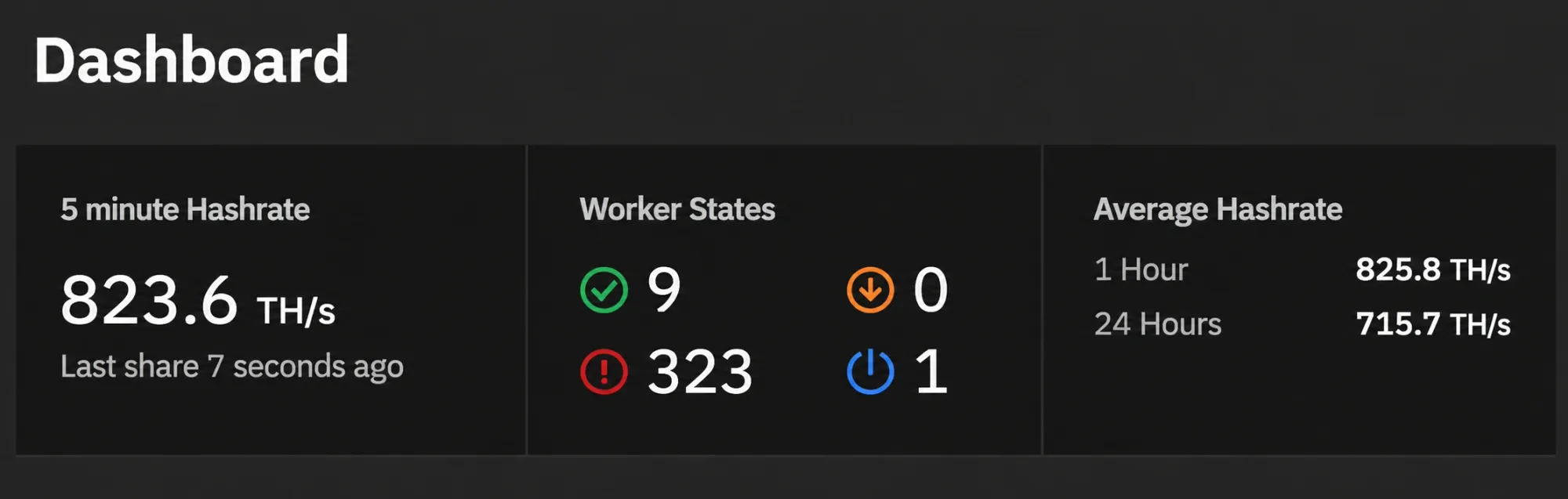
Use the same device set and units on both sides. A pool account total can include several workers, while a device page may cover only one machine. A 24-hour window that includes startup or downtime also differs from the miner's recent running average. ViaBTC's comparison of local and pool hashrate specifically distinguishes its ten-minute pool view from faster local refreshes and the previous 24-hour average.
I'd compare a stable full-day period before diagnosing a modest short-window mismatch, provided accepted work is continuing. Repeated connection failures, explicit submission errors or a sudden persistent rejection increase deserve attention immediately. Waiting longer doesn't repair a broken connection.
If only a few shares arrive in a day, even that daily estimate remains noisy. Check the sample size and assigned difficulty before calling the difference a loss of computing power. Changing reporting difficulty can improve the frequency of observations only within the endpoint's supported limits.
Read the rejection reason before changing settings
Rejected is an outcome, while stale or delayed describes timing under a pool's rules. A late result may have met the old job's difficulty but arrived after that job stopped being useful. Braiins' stale-share explanation identifies network delay and slower switching to new work as possible causes. This is different from a stale Bitcoin block.
Don't assume every counter uses the same categories. f2pool's delayed-share policy says some coins credit delayed shares while rejected shares aren't credited. That statement doesn't establish that every delayed Bitcoin submission earns a reward. The coin, endpoint and accounting rule matter.
Scroll sideways for the check, action and expected change for each symptom.
| Observed symptom | Check and action | Verify afterward |
|---|---|---|
| No accepted shares; worker missing | Confirm the active pool, coin, account and worker name. Check that authorization and jobs succeed, then check supported share difficulty. | A recent accepted submission appears at the intended endpoint and worker. |
| Stale or old-job rejections rise | Check disconnects and the network path. Inspect cables or Wi-Fi stability; use the pool's documented regional endpoint if appropriate. Check firmware job-switching compatibility. | The late-work rate falls over a comparable window and accepted work continues. |
| Low-difficulty or above-target rejection | Compare the assigned job difficulty with what the miner submits. Check firmware/pool compatibility and difficulty changes; don't assume more network bandwidth will fix it. | New submissions satisfy the currently assigned threshold and receive acceptance responses. |
| Duplicate submission | Inspect miner or proxy logs for the same work being resent. Check reconnect behavior before changing unrelated hardware settings. | New unique work is accepted without recurring duplicate errors. |
| Invalid work or rejects after tuning | Check temperatures, hardware errors and the exact error text. If the problem began after an overclock, return to the manufacturer's supported settings and reassess. Use official firmware guidance for the exact model. | Invalid submissions decrease without overheating or repeated restarts. |
These are separate validation paths, rather than one diagnosis for all rejects. For example, ckpool's submission validation checks the worker, job, submitted fields, difficulty and duplicate work. Pool wording and numeric error codes can differ; retain the exact message instead of guessing a universal code.
Official support also separates network and device problems: ViaBTC's rejection checks include network stability, temperature and firmware, while f2pool's worker-metric definitions include firmware errors and excessive overclocking. The providers' percentage guidelines cover different categories and conditions. I wouldn't use one of those numbers as a pass/fail threshold for every pool.
Keep the percentage and its denominator together
For a count-based rejection rate, divide rejected submissions by all submitted shares in the same period. If 90 are accepted and 10 rejected, the rate is 10 / 100 = 10%, assuming those categories cover all submissions. With mixed difficulties, that count percentage doesn't necessarily equal the percentage of represented work lost. A pool can also report stale work separately or include it within rejects.
Record both the rate and the underlying counts or difficulty totals. One rejection in a tiny sample can make a large percentage, while a lifetime counter can hide a new problem. Compare the same worker, category definitions and duration before and after one change.
Verify credited work separately from rewards and withdrawals
Accepted shares establish that the pool accepted those submissions. A shared-reward pool then applies its payout method, fees and eligible-work rules. A hosted solo service can accept ordinary shares for monitoring without paying for each one. Neither an accepted counter nor a displayed balance proves that a withdrawal has reached your wallet.
For a continuing fault, save the relevant time and timezone, worker name, active endpoint, firmware version, assigned difficulty, recent acceptance/rejection counts and exact errors. Give each physical miner a distinct worker name where the pool supports it; otherwise an account-level total can conceal which device stopped. Braiins' worker-monitoring guidance explains that shared worker names aggregate devices. Remove passwords, tokens and unrelated account details before sharing logs, and never supply a wallet seed phrase or private key to pool support.
If your ESP32 isn't receiving jobs or staying connected, follow the NerdMiner connection diagnosis before changing performance settings. Once submissions are accepted at the right worker, use the mining library to continue with the separate hardware, pool or node task.