Chain Bridge

Contents
A USB ASIC miner can perform real Bitcoin mining, but the plug doesn't tell you what hardware or supporting equipment you're buying. I'd choose a host-controlled stick only if you want to run compatible mining software and provide its powered hub and cooling. For a device that mines over Wi-Fi without a separate computer, check the actual processor and power requirements before treating it as an alternative.
Identify the chip and the job of the USB port
Look for an exact model, a named mining ASIC and a maintained software source. “USB Bitcoin miner” can describe a stick exchanging work with a computer, a Wi-Fi device drawing USB power, or a board with a USB programming port. Those designs have different requirements. A USB storage drive can't acquire a mining ASIC by having an application copied onto it.
The original NerdMiner project describes an ESP32 implementing Stratum and Wi-Fi. Its microcontroller performs the work; an ESP32 name alone doesn't establish a dedicated mining ASIC. Conversely, an ASIC miner can contain an ESP32 controller alongside its mining chip. Ask which processor hashes and which controls the device.
The Bitaxe Gamma hardware documentation identifies a BM1370 mining ASIC and Wi-Fi operation without an external computer. It specifies a separate 5 V supply and describes USB-C for programming. Its USB-C socket isn't evidence that a laptop port supplies the mining power. Follow the exact board's power specification rather than transferring requirements between devices that look similar.
I wouldn't accept a marketplace's “ASIC” label or a product family name as the whole specification. Require a matching manufacturer or project description, the actual board revision, and the included accessories. A listing that mixes desktop-computer specifications with mining claims needs clarification before payment.
Use stock specifications to shortlist a stick
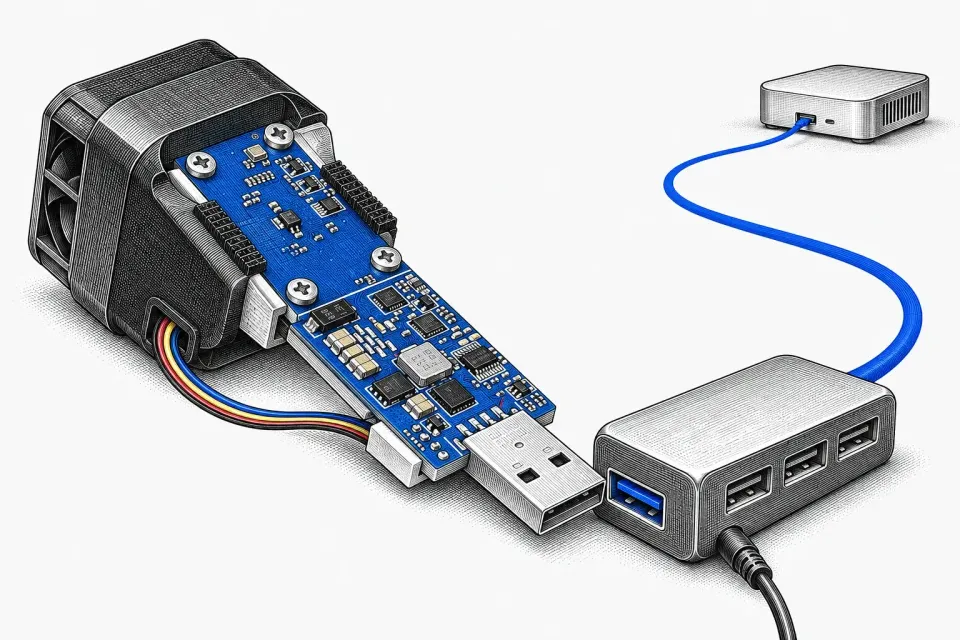
GekkoScience's Compac A2 V2 is a documented example of the host-controlled design. Its manufacturer package description requires a powered hub and a controller running cgminer, and includes a high-power PWM Icepac fan. The controller is the computer that runs the software and passes mining work through USB.
| Item | Compac A2 V2 | Compac F |
|---|---|---|
| Published stock rate | 600 GH/s | 250 GH/s |
| Higher-rate statement | Over 1 TH/s possible with overclocking, depending on hub power capacity | Up to 400 GH/s |
| Power route | Powered USB hub required | Powered USB hub required |
| Cooling | Icepac fan included in the cited package | Active cooling required |
Focus the table and scroll sideways to read both models.
The A2 figures come from its package description; the Compac F product page supplies the older stick's ratings and cooling requirement. Neither row establishes the sustained hashrate or wall consumption of the unit a seller will deliver. Compare stock with stock, and ask what power and cooling supported any advertised overclock.
The cgminer Gekko driver maps Compac A2 to BM1370 and Compac F to BM1397 hardware. That is a more useful identification check than a generic “USB ASIC” heading. Don't combine a rate from one revision, a power figure from another and a bare-stick price into a supposed complete offer.
Check the host, hub and cooling together
Before ordering a stick, identify the computer that will stay on while it mines. Then establish a compatible cgminer build for that host's operating system and the exact stick. Owning a laptop or Raspberry Pi doesn't by itself settle software support, USB access or the power budget.
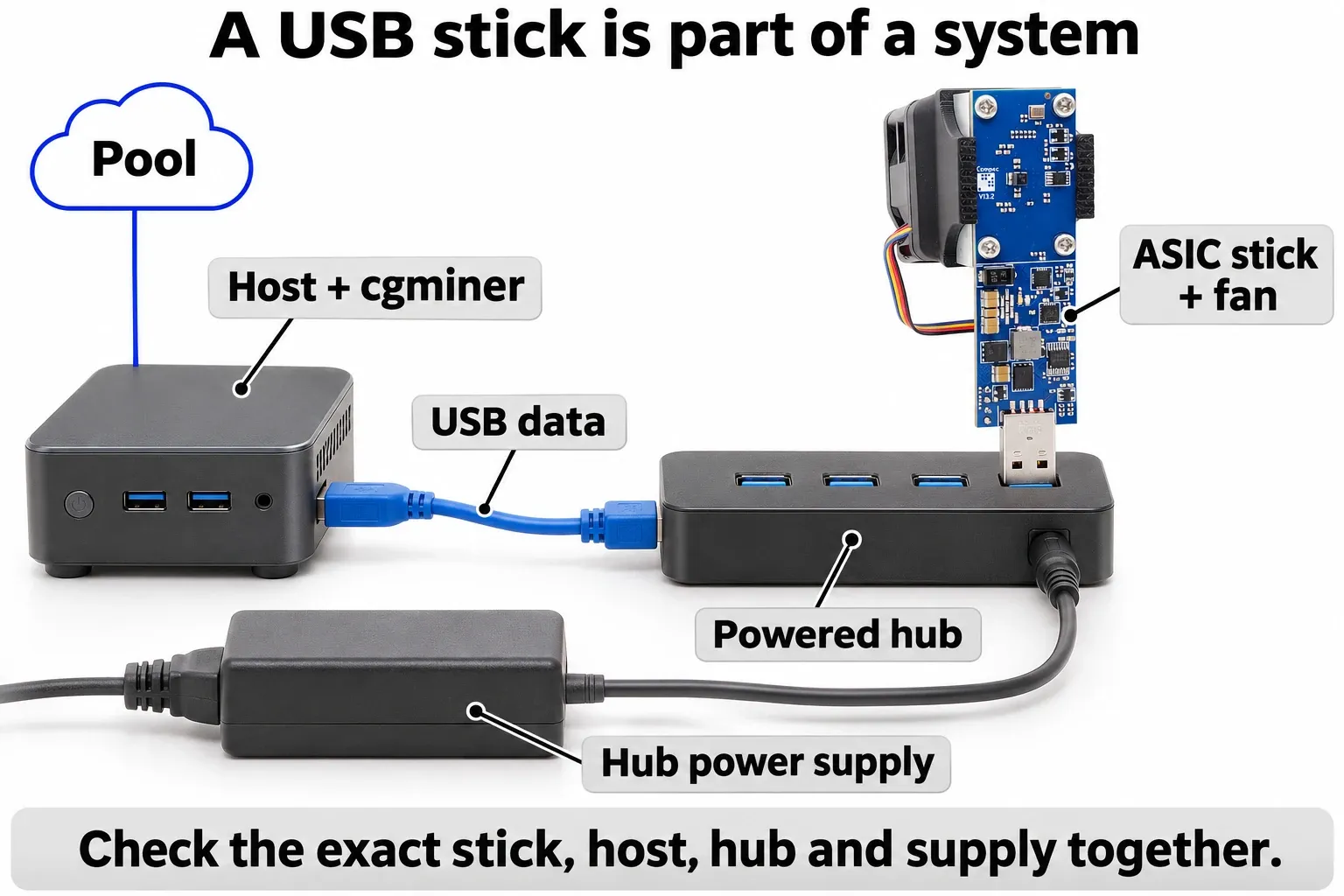
- Confirm model support in the software. The cgminer ASIC instructions specify Gekko support when compiling. An unrelated build with the same program name can lack the required driver. Use the manufacturer's current software guidance and its linked source rather than a download attached to an anonymous profit claim.
- Confirm USB access for the host OS. The cgminer USB setup documentation distinguishes Windows WinUSB association from Linux device permissions. Resolve that requirement for the intended miner before buying. A permission error is a separate question from whether the stick has adequate power; replacing drivers for unrelated devices isn't a remedy.
- Check both data and power. The host-to-hub connection must carry USB data, and the stick needs a data port. Confirm the per-port current, combined hub limit, supply capacity and connector requirements at the intended settings. A hub advertised as “powered” doesn't automatically meet every stick's demand.
- Keep the specified cooling fitted. For A2 V2, include the supplied fan in the operating arrangement. For Compac F, provide the required active cooling. Leave room for airflow and adjacent sticks instead of assuming every hub socket can be filled without obstruction.
The GekkoScience Base Hub specification separates its 12 V DC input from its 5 V output, rated up to 3 A per port. It lists seven data ports and one power-only port. The power-only port cannot carry a stick's USB mining data. The hub's input voltage is also not an instruction to put 12 V directly into the stick. Confirm the complete combination with the supplier; a port count alone doesn't approve every stick and overclock at once.
A2 V2 has a further software detail worth settling before tuning: its product page flags a temperature-sensor issue in cgminer and links a patched driver. Check the current manufacturer guidance for the delivered revision and build. I wouldn't use a questionable temperature reading as permission to raise voltage or clocks. Start with the documented stock configuration and establish reliable monitoring first.
Check whether mining work can become a payout
Confirm the intended pool's supported protocol, accepted share difficulty, reward method, fees and withdrawal threshold for the stick's rate. A running fan or local hashrate display doesn't prove the pool accepts its work. After setup, compare the miner's accepted-work status with the correct worker on the pool, allowing for the pool's stated reporting window.
NerdMiner's project documentation explicitly warns that its low share difficulty prevents recognition by some standard pools. That restriction matters when the offer is an ESP32 educational device rather than an ASIC stick. The NerdMiner pool guide covers that separate compatibility route; don't transfer its endpoints or difficulty settings automatically to different hardware.
For a solo service, establish how a valid block is rewarded and what fee applies. For shared rewards, check when an earned balance can actually be withdrawn. A seller's “chance every ten minutes” phrase doesn't promise that your device will find a block or receive a payment on that schedule. Genuine hashing capability alone doesn't establish an income stream.
Budget the complete purchase: stick, host if needed, hub, matching supply, cooling, cables, delivery and applicable taxes. For running costs, use the full system's wall consumption, including the host, hub supply losses and fans. A stick-only wattage leaves those costs out. Multiply wall kWh by your effective electricity rate, then account for pool charges and any conversion costs without deducting the same fee twice.
Have the seller identify the delivered revision, included fan and power equipment, supported host software, warranty provider and return conditions in writing. Ask whether tuning changes coverage and how a unit that fails at the agreed stock configuration will be handled. Keep the order description so a photograph of a bare stick doesn't become the only record of what was promised.
I'd compare complete setups before buying a first stick, especially if the host and hub are new purchases. Any projected operating surplus must also recover the equipment cost, and weaker revenue or downtime can change that result. Choose the USB route for its hardware and software learning value only when that complete cost is acceptable. Use the mining library to continue with pool selection or operating-cost planning once the hardware requirements are settled.