Chain Bridge

Contents
To mine Bitcoin with OCEAN, point a supported ASIC at stratum+tcp://mine.ocean.xyz:3334, use your own Bitcoin receiving address as the username, and enter x as the pool password. Then look up that exact address under My Stats to verify accepted work. OCEAN uses TIDES to distribute actual block rewards, so a working connection doesn't promise a daily payment.
I'd check the payout route before moving hashrate. The ordinary on-chain threshold is 0.01048576 BTC, or 1,048,576 sats; receiving smaller amounts through Lightning requires a compatible setup. OCEAN at ocean.xyz is the Bitcoin service covered here. The similarly named MiningOcean multi-coin service is a separate service.
Choose an address you control before connecting
You don't need an ordinary OCEAN account to start mining. You do need a native Bitcoin receiving address whose keys you control. The OCEAN service terms explicitly warn against using an address for which you don't have the private keys. An exchange deposit address can leave you unable to prove ownership when configuring payouts. Never put a private key or recovery phrase into a miner or pool form.
Keep worker names neutral, such as rig01. Your mining address and worker labels can be public, and OCEAN retains operational data including connection IP addresses. Account-free mining doesn't make the activity anonymous. Check the terms' eligibility requirements for your location before submitting work.
This route is for a compatible Bitcoin ASIC with suitable power and cooling. If you're using an ESP32 learning device, start with the NerdMiner pool compatibility guide; a Bitcoin label on a pool doesn't establish useful share acceptance or earnings for that device.
Enter the OCEAN connection and verify the saved address
Open your miner's pool settings on the local network. Keep its existing configuration so you can restore it. The official OCEAN connection instructions give these values; use the layout your firmware requires.
On a phone, scroll sideways to read all three columns, or focus the table and use the arrow keys.
| Field | Value | Check before saving |
|---|---|---|
| Pool URL | stratum+tcp://mine.ocean.xyz:3334 | With separate boxes, use host mine.ocean.xyz and port 3334. |
| Username / worker | Your exact Bitcoin address, optionally followed by .rig01 | Copy it from your wallet. Use a period before the worker suffix; check the complete saved address. |
| Pool password | x | OCEAN ignores this short value. Keep your local administrator password private and separate. |
An invalid Bitcoin username can still connect. OCEAN says the pool doesn't reject a connection merely because the username isn't a valid address. Work submitted under an invalid username produces no earnings or usable miner statistics, and those shares are lost. A green connection indicator is therefore insufficient.
Save the configuration using your firmware's documented control, then reopen it. Check that a username-length limit hasn't truncated the address or suffix. I'd shorten the worker label before changing the receiving address. Without a suffix, OCEAN uses default; connections sharing the same address and worker name are aggregated.
Find your own work under My Stats
Check the miner for the intended active server and accepted submissions. On OCEAN's My Stats search, look up the exact base Bitcoin address from the saved username, without the worker suffix, and open the matching result. Confirm the address before interpreting the worker data. The main Pool tab describes the whole pool.
Select Enlarge image to read the details.
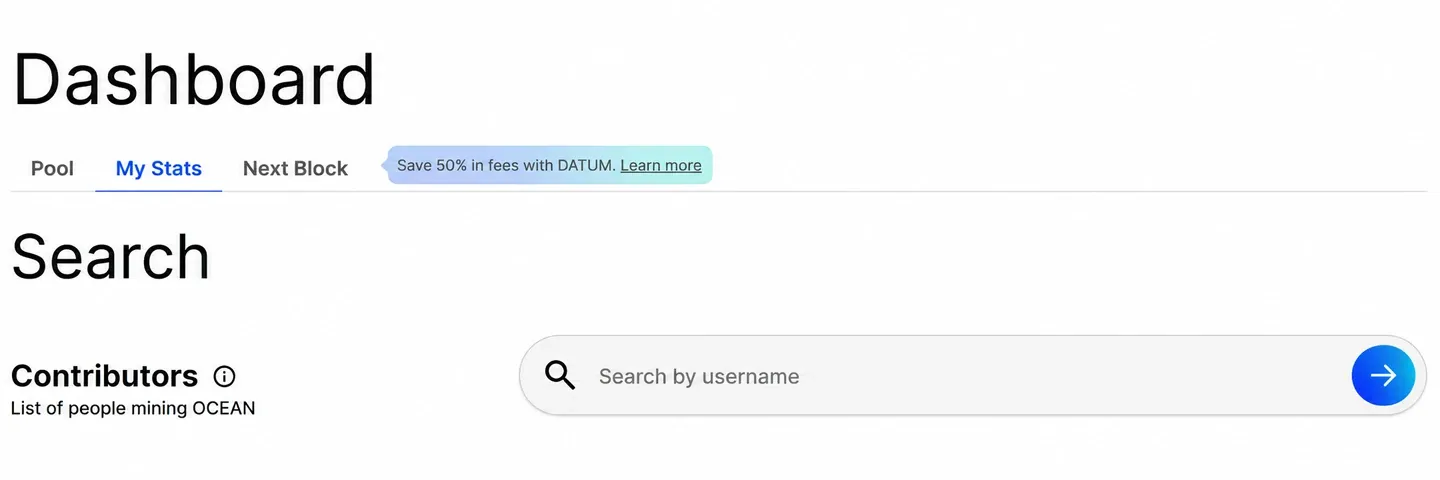
OCEAN says statistics can take a few minutes after the first accepted proof to appear. That waiting period starts with acceptance, not with powering on the ASIC. If jobs arrive but your address has no statistics, compare the complete saved username with the wallet address first. If submissions are rejected, save the rejection reason and check the miner's connection requirements rather than changing a payout setting.
A short-window pool hashrate estimate can differ from the ASIC's local rate. Compare the same worker over a matching interval before treating that difference as lost work. For money reconciliation, use the address total: TIDES accounts for rewards per user, combining the work of that user's workers. Per-worker earnings can involve rounding estimates.
Read the TIDES window as work, then check the reward
OCEAN's TIDES window contains eight times the Bitcoin network difficulty worth of work. It isn't the last eight blocks the pool found, and it isn't a fixed number of days. Accepted proofs enter an ordered log and count according to their target difficulty.
When the pool finds a block, TIDES divides the actual subsidy and transaction fees according to each user's eligible work in that window, with the applicable pool fee deducted. The ordinary fee is 2%; OCEAN advertises 1% for miners constructing their own blocks through DATUM. A lower fee alone doesn't establish a higher return over your chosen week.
At the start, your work gradually occupies more of the window. After you stop, earlier work can remain eligible for later blocks until it leaves the window. Eight rewards per share is an average under the design, not a promise that each share receives eight payments. Don't judge a short run solely by the bitcoin received before its remaining work has finished earning.
Very small contributions face another limit: the TIDES documentation says a per-block reward below one satoshi is lost through rounding. Lightning changes the payout route; it doesn't turn a sub-satoshi block allocation into a reward.
A next-block earnings estimate answers a conditional question: what your current work could earn if the pool found a block. New work and the eventual block's transaction fees can change the result. Use recorded block rewards to reconcile earnings, then check payout history and the receiving wallet for delivery.
Separate an earned balance from a completed payment
The OCEAN payout FAQ says rewards below the 1,048,576-sat on-chain threshold accumulate while you keep earning, and automatic payout occurs once the threshold is exceeded. Direct generation-transaction payments also have Bitcoin's 100-block coinbase maturity before they can be spent. Check the wallet's transaction and block status; a dashboard estimate isn't a spendable receipt.
I wouldn't describe every unpaid balance as bitcoin already in your custody. The terms define subthreshold TIDES balances as a contingent contractual entitlement; the underlying bitcoin remains OCEAN's until the threshold is exceeded and a payout is made. That distinction matters when deciding how long to leave a small balance unpaid.
For smaller payments, the Lightning configuration requirements call for a BOLT12 offer, inbound liquidity and a signature proving control of the same Bitcoin address used for mining. General Lightning or BOLT12 support doesn't establish OCEAN compatibility. The page flags Alby Hub v1.21.2 and later as incompatible and also flags Phoenix, despite broader support statements elsewhere on the page. Confirm the exact wallet version and offer format before relying on this route; I wouldn't downgrade a funded node to follow an old workaround.
Configure a supported offer through the address's Configuration controls, then sign only the exact message you intend to authorize using your wallet's trusted signing interface. Return the signature to the same configuration form and confirm it. Never supply the private key or seed. A receiving setup needs working channels and liquidity, but current OCEAN policy does not permit opening a Lightning channel directly with OCEAN.
If a Lightning payment fails, the documentation describes retries on subsequent pool blocks until the on-chain threshold is reached. The terms also allow Lightning to be changed or suspended, with balances continuing toward the standard on-chain route. Check the actual receiving wallet after a successful payment rather than assuming that saving an offer completed it.
Choose the default template or prepare DATUM deliberately
The ordinary connection above uses the pool's template and needs no local full node. OCEAN's current template policy describes the default as including only transactions and reasonably small data. Its former alternate template options were decommissioned on December 21, 2025. Don't follow an old port list expecting those options, or assume the default includes every valid transaction.
For your own template policy, the DATUM setup guide requires a synced Bitcoin node and a configured gateway. It lists the miner-facing endpoint as stratum+tcp://your_datum_node_ip:23334, using the same address-based username and a short ignored password. Replace the placeholder with the address of your configured gateway; this isn't the public mine.ocean.xyz:3334 connection.
Start with the Bitcoin node setup guide if you haven't completed that prerequisite. Keep node RPC credentials private and its management access restricted. The miner needs the documented gateway connection; it doesn't need your wallet keys or a publicly exposed RPC service. DATUM remains labeled public beta in OCEAN's guide, so confirm its current requirements before changing a working setup.
During a protocol dispute or chain split, check the operator's endpoint policy and your node's consensus rules before directing work. Section 22 of the service terms makes chain selection the miner's configuration responsibility and allows unsupported-chain unpaid balances to be extinguished. The default setting alone doesn't settle that choice for you.
Before changing your mining address or leaving, save the old address's rewards and payout status. Existing work and balances don't move to the new identity. The FAQ describes discretionary settlement of some smaller balances after stopping, with a policy that can change; don't budget on that exception as a guaranteed withdrawal.
My starting point is the ordinary connection with a verified address and an achievable payout route. Move to DATUM when you can operate the node and want to control templates. The mining-pool library groups related operator tasks, while the broader mining section covers the hardware and node work behind them.