Chain Bridge

Contents
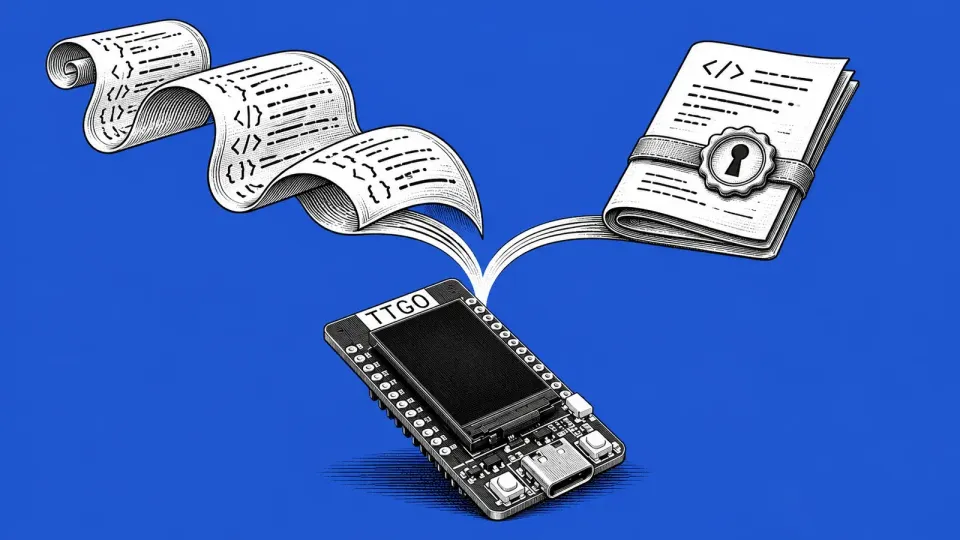
NMMiner and the original NerdMiner V2 are different firmware projects for ESP32 boards. I'd choose original NerdMiner when I want to inspect or modify the mining code; I'd choose NMMiner when its supported-board build and browser management justify a per-device license. Neither choice turns an ESP32 microcontroller into an ASIC or makes a small solo miner dependable income equipment.
This is a choice between the original BitMaker-hub/NerdMiner_v2 project and NMminer1024/NMMiner. A seller's “NerdMiner V2” case label can describe hardware running either one. NMAxe and NMQAxe are separate ASIC products, even though they appear alongside ESP32 devices in the same store and flashing tool.
Choose by what you want to control
The original NerdMiner V1.8.3 project presents an open-source learning miner with mining, clock and network-statistics screens. Its MIT license permits using, modifying and distributing the software under its notice requirements. You don't need a device activation key for that original project.
NMMiner publishes ready-made firmware builds and documentation. Its public repository isn't the same thing as having the ESP32 mining firmware's source code to inspect and rebuild. The separately linked NMController client and web projects have source available; that doesn't make the firmware binary open source. I'd keep this distinction ahead of a seller's speed comparison if learning how the miner works is the reason for buying it.
Scroll this table sideways on a narrow screen to compare both columns.
| Your priority | Original NerdMiner V2 | NMMiner |
|---|---|---|
| Read or change the mining code | Published source under MIT | Published ESP32 firmware builds; controller source is a separate project |
| Activation cost | No per-board activation key in the original project | Paid license tied to each board; check whether the hardware already includes it |
| Configuration to expect | Classic WiFiManager setup, with separate pool hostname and port | Its own configuration and browser-management interface, with primary and fallback pool settings |
| Hardware compatibility | Choose the exact board build from the original project's supported list | Choose the exact board/display build supported by NMMiner |
| Reason to switch | Source access or a specific supported feature | A specific supported feature or operating improvement worth the license and migration work |
The NMMiner management documentation describes browser access at the miner's local IP address. That's useful when managing settings from a computer, especially with several devices. It doesn't require replacing a working original-firmware installation unless those features solve a task you have.
Check whether the board already has a license
The current NMMiner activation instructions require a paid license per device, tied to that board. They say firmware updates preserve it and describe activation through the flash tool or the device's configuration portal. Don't assume one purchased string covers a collection of boards.
Buying hardware and buying a new license aren't always two separate purchases. On its official CYD product page, NMTech identifies its supplied devices as “NMMiner Inside” with licensing included, and describes license recovery through its own web flasher. That policy doesn't establish that an unbranded marketplace board or every similarly named kit is already licensed.
Before paying, confirm the exact board, whether activation is included, the final price for that device and the recovery route. A listing saying “supports NMMiner” doesn't establish that activated mining firmware is already installed. Keep the activation information and receipt private. If an already licensed board loses activation after an update, use the maker's recovery/support route before buying again. A request for a license is also a clue that you're following NMMiner instructions, rather than the original NerdMiner project's installation.
Compare accepted work and recovery, not a fixed speed multiplier
NMMiner's published rate table separates ESP32 chip types: it claims up to 1,020 kH/s for ESP32-D0 revision 3 and up to 398 kH/s for ESP32-S3. Those are developer figures for different hardware, not a same-board test against original NerdMiner. The larger number isn't a promise for a device merely labeled ESP32.
Published user checks show why the board, build and observed behavior belong beside any number. HarukiToreda's 2024 Heltec V3 report gives 119 kH/s for NMMiner, without an exact build or timed averaging window. A much later v2.0.04 DevKitC 32 reconnect report gives 1.0449 MH/s after a clean start, then 0 H/s after a TCP reconnection that failed to repeat the Stratum handshake. Its author reproduced the stalled state twice on that device.
These are separate user observations with different chips, firmware and conditions; averaging them would say little about either device. The second check is useful because a device can remain on Wi-Fi and answer its web interface while no mining jobs arrive. For a firmware choice, continued useful work matters more than the best local rate shown after startup.
NMMiner's v2.0.05 release notes list a zero-hashrate-after-reconnection fix and an ESP32-D0 reporting correction. The lower displayed rate on revision 1 is described as corrected reporting, rather than a performance regression. That's a developer fix record, not a measured success rate across all boards.
I wouldn't migrate for a universal “six times faster” claim. Compare the exact supported board and release, keep the pool and observation period comparable, and check accepted work, rejected shares and recovery after an ordinary connection interruption. A pool's estimate comes from submitted shares and fluctuates; it won't necessarily match the local display immediately. More hashes still don't establish a regular solo payout.
Expect different settings and protect local management
The original project documents NerdMinerAP with the default password MineYourCoins. NMMiner documents the open setup hotspot nmap-2.4g. Both use a local configuration page at 192.168.4.1 while you're connected to the miner's setup network. Customized builds can change those defaults, so use the installed firmware's identity and instructions as well as the network name.
Pool fields also differ. Original NerdMiner's configuration has a hostname and separate port; NMMiner's documented mining settings use a full Stratum URI, including protocol and port, with separate primary and fallback details. Reenter the intended values through the new firmware's supported form. Don't assume an old configuration file, flash offset or button-reset sequence transfers between the projects.
Before letting the new installation mine, replace every demo payout address with your own public Bitcoin receiving address, including any fallback address. NMMiner's quick-start page explicitly describes a temporary demo wallet; it isn't your wallet. A seed phrase or private key never belongs in a miner's form. Choose a pool that supports the exact firmware and its small shares; the pool-selection guide explains the compatibility question without making the field formats interchangeable.
Remote management has a concrete network condition. NMMiner's HTTP API documentation says it has no authentication and is intended for a trusted local network. It can change settings as well as read status. Keep the miner's management service off the public internet; don't add an incoming router port-forward to make a dashboard convenient. A locally reachable interface is a useful feature only when access to that network is appropriate.
Switch only with a supported route back
I'd keep working firmware until there's a clear reason to change it. When NMMiner's features justify a move, establish the hardware and recovery path before writing anything:
- Record the exact board and display variant, current firmware/build, Wi-Fi details, complete pool settings and your receiving address. Preserve any license information privately. Saved settings can be lost during an erase or replacement installation.
- Confirm that the destination project supports that exact board. The NMMiner tool has separate ST7789 and ILI9341 CYD targets, for example; screen size alone doesn't choose the driver. Identify the original build needed to return as well.
- Use the destination project's linked flasher and board-specific instructions. Original NerdMiner's partial-update file and offset aren't a general conversion recipe for NMMiner.
- After the supported installation and any required activation, configure the intended network, compatible pools and your own addresses again. Verify incoming jobs and accepted work, not just the welcome screen. Keep the previous configuration until the new setup is working.

The NMMiner Flash ESPTool is the NMMiner route; the original project links a different flasher. The board-identification and recoverable-update guide covers the cable, board and erase checks before a firmware write. If your original firmware already does what you want, continue with its first-setup instructions instead of changing software just to follow a seller's tutorial. The mining guides connect the remaining hardware, connection and reward questions.