Chain Bridge

Contents
Before directing an ASIC to Luxor Mining Pool, confirm that its mining subaccount belongs to the correct Workspace Account, then check who can change the payout destination and which payment terms apply. Luxor's terms say work sent through an orphaned subaccount can be lost without compensation. I'd settle that ownership check before moving hashrate, even when the miner already has a working server configuration.
Verify the Workspace before sending work
Start from the official Luxor Pool page and its sign-in route. The platform also contains LuxOS firmware, Commander fleet management and financial services. Their presence in one interface doesn't make all of them prerequisites for ordinary pool mining.
The account and pool terms define an Account as a Workspace attributable to a single legal person or business. Every mining subaccount must be properly configured inside a valid Workspace before it sends work. A subaccount without that association is “orphaned”: Luxor says it cannot attribute the work to a user and treats the hashrate and associated payments as lost through misconfiguration.
Open the intended Workspace and verify the exact subaccount you plan to use. If it came from an older account or a hosting provider, confirm that its association is complete rather than assuming the name proves ownership. When that isn't clear, resolve it with Luxor support before connecting. The terms don't promise recovery of orphaned work, so sending a small amount first isn't a substitute for establishing the account relationship.
Check eligibility at the same stage. Luxor's compliance terms restrict sanctioned or prohibited jurisdictions and permit identity verification at any time. A US-based service isn't open to every applicant merely because a server is reachable. Keep registration information accurate and complete any requested compliance review; don't create additional accounts to evade restrictions or usage limits.
For hardware, Luxor's pool FAQ lists major Bitcoin ASIC brands, including Bitmain, MicroBT, Canaan and Bitdeer. That broad statement doesn't establish useful share reporting for an ESP32 learning device. Use the separate NerdMiner pool compatibility checks for that case.
Decide who can observe, operate and approve changes
Luxor advertises granular Workspace access, change logs and multi-step approval workflows. Those capabilities are a reason to examine it for a team. They don't tell you which policy your particular Workspace has enabled.
Before inviting people or changing a receiving address, review the actual permissions available in that Workspace. Identify who needs to see reports, who needs to manage mining operations, and who can alter financial settings. Give each person the access their work requires, and confirm who can approve a payout change. These are responsibilities to assign, not assumed names of Luxor roles.
I'd keep routine monitoring access separate from authority over the receiving destination. Review the enabled approval policy and change history with the people responsible for funds; a feature listed on the product page doesn't establish that a second approver will be required in your account. Protect each user's sign-in and follow the account's security prompts. Luxor makes the account holder responsible for credentials and activity.
With hosted machines, establish the same boundaries with the host. Ask who owns the Workspace and subaccount, who can change the server, and whether Luxor pays your wallet directly or the host settles with you later. Sazmining's hosted-pool comparison describes a route where it creates workers and handles settlement. That arrangement explains its customer workflow; it doesn't establish your authority in another host's account.
Confirm the offer's fees and withdrawal conditions
For ordinary pool work, Luxor's pool-specific payment terms describe purchasing hashrate at FPPS spot hashprice less an applicable Discount Rate. That discount affects credited revenue. Withdrawal conditions determine when the credit can reach your wallet, so collect both before accepting an offer.
The same terms let Luxor decide how purchased hashrate is used, including ancillary activities such as merged mining. Luxor remains the beneficiary of those activities and can choose whether to distribute their rewards. Include that right in your decision if directing the work or receiving ancillary rewards matters to you.
The current product page, expanded FAQ and platform terms don't provide one universal numeric rate and minimum that can safely be applied to every reader. Get the applicable values from the offer and account settings, or have support confirm them. Don't substitute an old customer quote for a missing term.
Scroll sideways to read all columns, or focus the table and use the arrow keys.
| Confirm before mining | What to record | Why it matters |
|---|---|---|
| Reward offer | Ordinary FPPS or a separate fixed/upfront agreement; applicable discount and conditions | Different commercial commitments can't be compared by one headline fee |
| Receiving route | Payment currency, supported network, your destination and any host settlement step | A correct worker name doesn't establish a usable wallet destination |
| Withdrawal rule | Minimum amount, payment charge, selected schedule and required confirmations of changes | A credited balance may remain below its payment threshold |
| Leaving the service | How any remaining balance is settled and which records to retain | Moving the miner doesn't settle a previous account balance |
Luxor's payout FAQ offers daily, weekly or monthly schedules. The pool terms also make payment subject to the applicable minimum. Choosing a daily schedule therefore doesn't mean every worker receives a wallet payment every day.
Sazmining's comparison quotes roughly 0.7% and a 7,500-satoshi withdrawal charge for its Luxor arrangement. Its prose also makes the payout minimum dependent on the data center. Those are hosted-service figures, not a universal Luxor commission and withdrawal charge. If you mine through that host, confirm its applicable terms; if you contract directly with Luxor, compare your own offer instead.
For a BTC receiving address, check it against the address displayed by your intended Bitcoin wallet before confirming. Luxor's terms consider its payout complete when it sends to the address listed in the account and place responsibility for an incorrect destination on the user. Don't paste a sample address from a guide, and never provide a wallet recovery phrase as a payout credential.
Select the intended subaccount before reading its statistics
If you use a proxy or agent between the miner and pool, disclose it to Luxor before connecting. The pool terms permit withholding a pending balance for incorrectly configured proxies or agents.
After the Workspace relationship is confirmed, obtain the current Bitcoin server, port and mining-identity format from Luxor's account setup instructions or support. Keep those values together when configuring the ASIC. An older tutorial's server example doesn't establish that a similarly named subaccount is attached to your present Workspace.
On the Pool dashboard, first check the selected mining currency and subaccount. The official dashboard example has separate Subaccount and Mining selectors, with multiple subaccounts selected. Before diagnosing a missing worker, narrow the view to its intended account and Bitcoin.
Select Enlarge image to read the details.
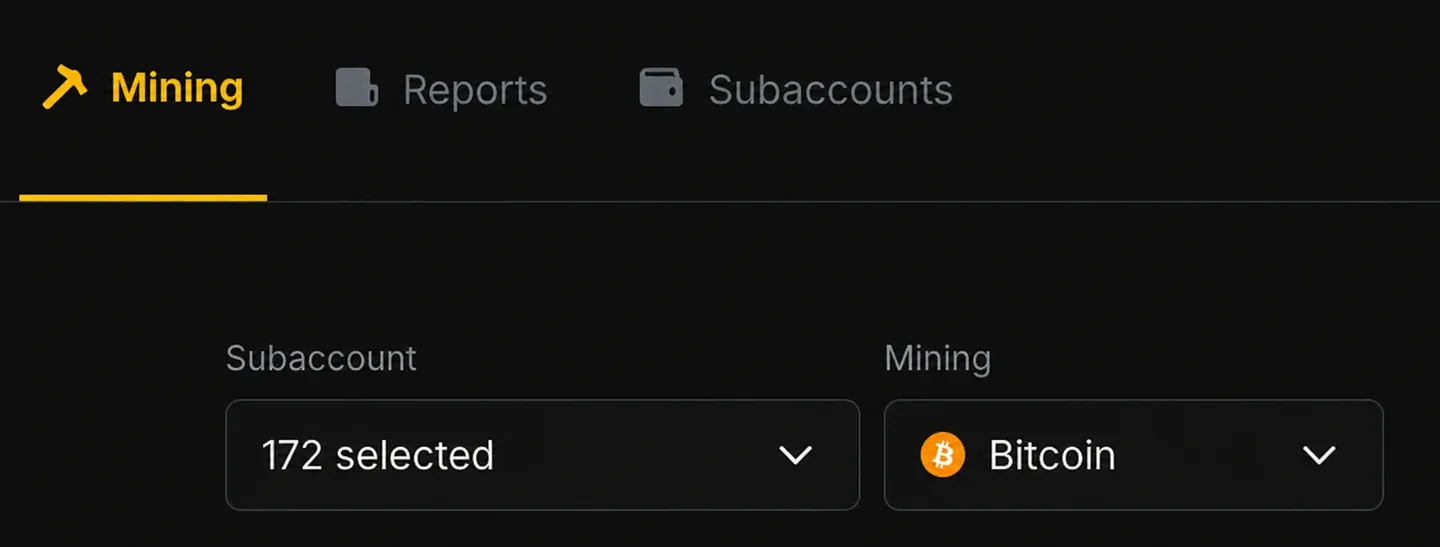
Verify the active pool connection and accepted submissions on the ASIC, then find the matching worker in the selected Luxor subaccount. Compare the same worker and reporting period. A combined dashboard total and one device's local hashrate describe different scopes, even when both are labeled hashrate.
Public data answers another question. The Mempool Luxor page shows attributed blocks and pool-level statistics. It can establish observed pool activity; it can't establish that your subaccount owns a worker or that your wallet was paid. Don't use an active block list to dismiss a missing account credit.
Separate accepted work, credit and wallet receipt
FPPS smooths the pool's block-luck exposure for miners, but ordinary spot rewards still change with delivered work and hashprice inputs. Luxor's explanation of fixed and upfront payments describes separate forward arrangements: a fixed hashprice or funding in exchange for a commitment to deliver future hashrate. Those commercial obligations aren't switched on merely by choosing a daily withdrawal schedule.
I'd use the payment stage to choose the next check. Repeatedly changing a working server won't resolve a balance below the withdrawal minimum.
Scroll sideways to read the checks for each stage.
| What you see | Check next |
|---|---|
| ASIC connected, worker absent | Selected Workspace, Bitcoin/subaccount filter, exact saved mining identity and subaccount association |
| Worker submits work, credit appears wrong | Matching worker and accounting period, accepted/rejected work and applicable reward offer/discount |
| Credit exists, wallet unpaid | Actual balance, minimum, schedule, destination, pending approvals and any host settlement step |
| Payout recorded as sent | Recorded destination, transaction details and receipt at the intended wallet |
The terms describe accrued balances as amounts payable by Luxor, rather than deposits in a wallet, and advise regular withdrawals. Keep a workable payment route and reconcile the first receipt at the receiving wallet.
For an unresolved discrepancy, use Luxor's support route with the relevant Workspace/subaccount, worker, time period, saved connection details and payment record. Exclude passwords, API keys and wallet secrets. Keep the old pool's balance and settlement records when switching; its unpaid credit doesn't follow the ASIC to Luxor. The pool guides and broader mining library provide the next route for hardware and connection work.