Chain Bridge

Contents
Choose a NerdMiner if you want an inexpensive way to learn about mining and watch an ESP32 work on your desk. Choose a Bitaxe if your goal is ASIC hashing and you're willing to provide the correct power supply, active cooling and a suitable place to run it. I'd buy either as hobby equipment; a much higher hashrate doesn't turn a small solo miner into dependable income.
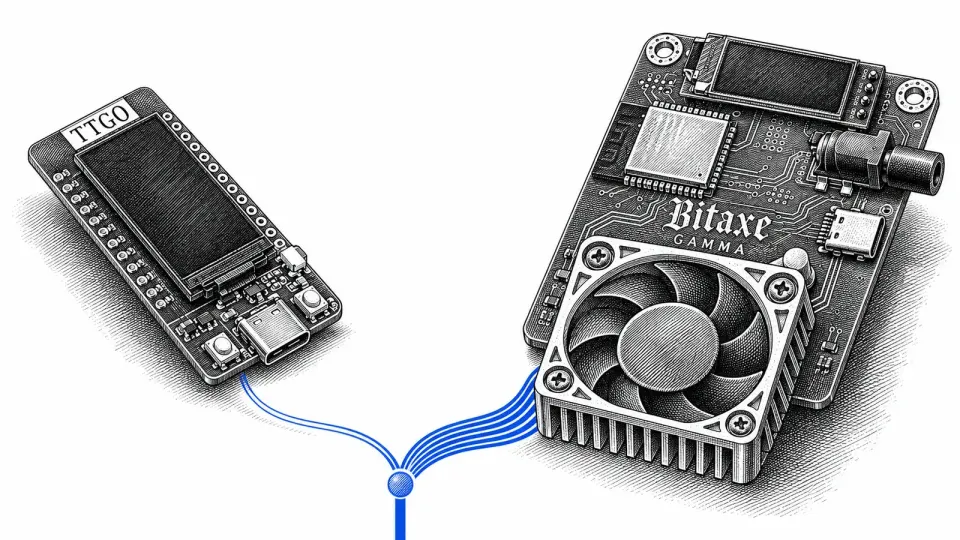
The comparison here is an ESP32-based NerdMiner running the original NerdMiner V2 project against a single-chip Bitaxe Gamma. NerdAxe, NerdQaxe and NerdOctaxe are separate ASIC designs. A store or calculator grouping them under “NerdMiner” doesn't make their terahash figures applicable to an ESP32 board.
Identify the chip that does the hashing
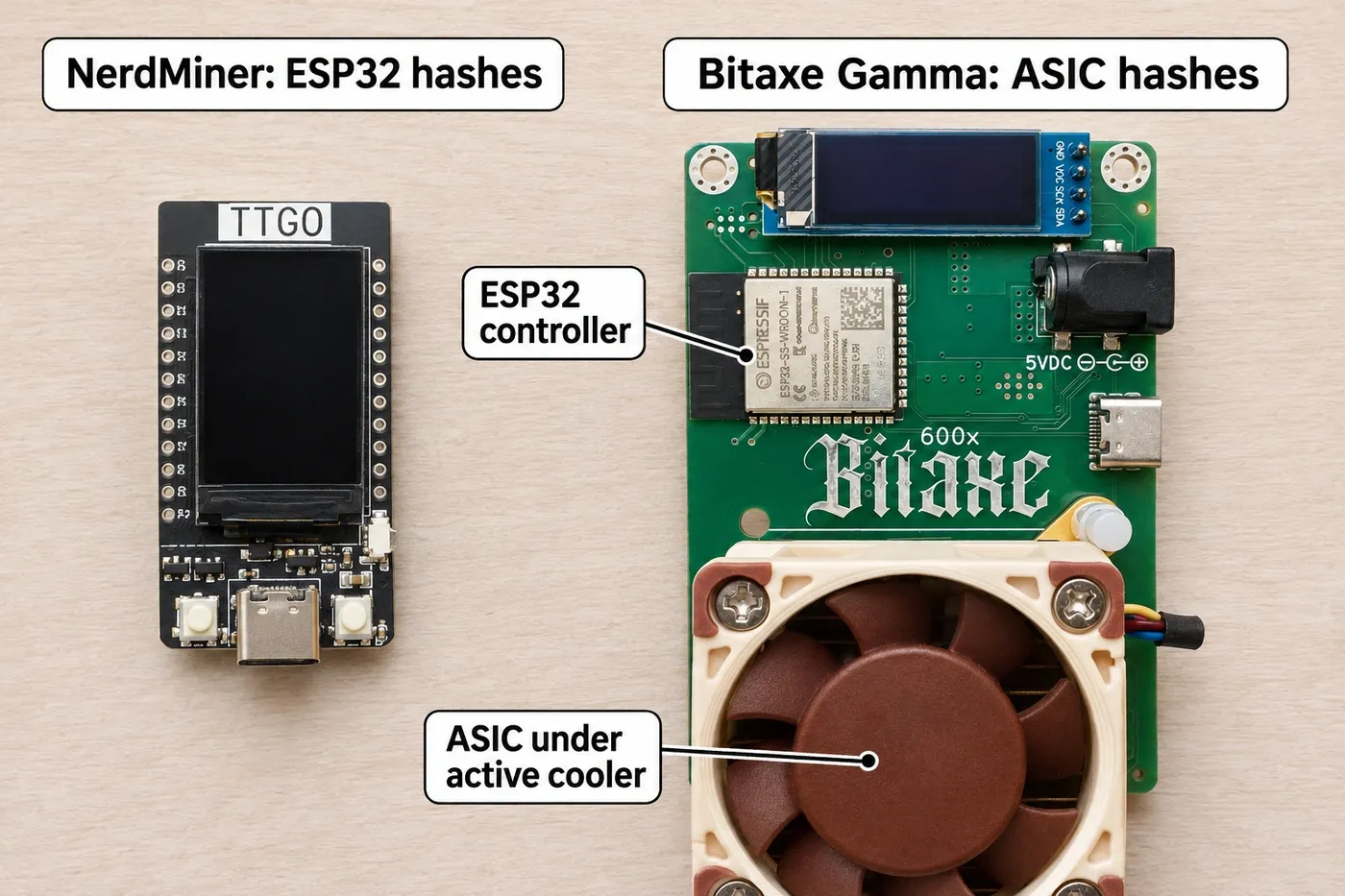
Both devices contain an ESP32. In the original NerdMiner, the microcontroller computes the hashes while handling Wi-Fi and mining jobs. The NerdMiner V1.8.3 project description makes learning its purpose and describes the two cores doing mining work. A screen, USB port or Wi-Fi connection tells you little about the hashing hardware.
In the Gamma, the ESP32 controls a separate BM1370 ASIC, the specialized chip that hashes. The Gamma hardware description identifies one BM1370 from the Antminer S21 Pro generation. Bitaxe's board designs and firmware are open source; that Bitmain ASIC itself isn't.
On a narrow screen, scroll either comparison table sideways to see all columns.
| Decision | ESP32 NerdMiner | Bitaxe Gamma |
|---|---|---|
| Main reason to choose it | Learn about jobs, shares and solo mining with a small display device | Operate a real ASIC and learn its power, thermal and pool behavior |
| Hashing hardware | The ESP32 microcontroller | One BM1370 ASIC, managed by an ESP32 |
| Cooling commitment | The referenced TTGO display-board build has no mining fan or ASIC heatsink | Active cooling is required; a heatsink alone isn't enough |
| Firmware to identify | Original NerdMiner V2 or a named alternative; don't assume all sellers ship the same one | ESP-Miner, with the AxeOS web interface; exact board version matters |
| Before ordering | Supported board, working display, matching firmware and usable USB power connection | Exact Gamma revision, assembled cooler/fan, specified power supply and seller support |
“Bitaxe” also names a family. The project's hardware catalog identifies different chips for Ultra, Supra and Gamma. Don't apply the Gamma's requirements to every board carrying the Bitaxe name.
Check the display in the kit description too. The referenced Gamma design supports a 0.91-inch SSD1306 OLED, while the TTGO NerdMiner build has its own screen. A blanket claim that a Bitaxe has no display is a poor reason to choose between them; verify the actual assembly being sold.
Compare operating conditions with the headline hashrate
The Gamma project's roughly 1.2 TH/s figure comes from dividing the S21 Pro's nominal 234 TH/s by its 195 chips. That's a useful design reference. Seller specifications and a tuned owner's maximum describe different conditions, so I wouldn't choose a kit by the largest number in its listing.
Watch the units: 1 TH/s equals one billion kH/s. A NerdMiner reading in kilohashes and an ASIC reading in terahashes occupy very different performance ranges. There isn't one universal ESP32 rate across every supported board and alternative firmware.
PlebBase's Gamma cooling test used an early Power Mining prototype, AxeOS 2.3.0, a 22–23°C room and fans set to 100%. Its cooler comparisons are more useful for this purchase than an unexplained “quiet” label:
| Published check | Configuration | Reported result | Buying implication |
|---|---|---|---|
| PlebBase prototype | Small standard cooler, 20 mm unbranded fan; 525 MHz, requested 1.15 V | Table lists 1.070 TH/s, then overheating after about 3 minutes; ASIC temperature 74.1°C at failure | A short high-rate reading can precede thermal shutdown |
| Same prototype and test environment | Ice Tower with Noctua NF-A4x20 5V PWM; 525 MHz, requested 1.15 V | Table lists 1.070 TH/s through a half-hour run; ASIC temperature 41.2°C | The cooling assembly materially changes the usable result |
| Separate Gamma 602 owner check | Upgraded 602, 1,000 MHz, requested 1.33 V and two additional PC fans | Owner reports a one-hour average of 2.04 TH/s and a 34.7 W device reading | This overclocked configuration isn't the baseline for a stock kit |
The last row comes from DR0174's specific Gamma 602 report on OSMU. It uses a different board build and extra cooling, so it stays separate from the prototype results. The power reading isn't a complete wall-power measurement including those additional fans. These are two sources with different conditions, not a pooled average or a guarantee for a current retail unit; the half-hour check also doesn't establish long-term reliability.
My choice would be a supported, assembled Gamma kit that works at its supplied settings. Ask the seller for the exact configuration and operating results for that build. Don't copy the frequencies or voltages above as setup instructions. The project warns that increased settings can overheat the Gamma, particularly with its stock cooling.
Check power and cooling before paying
The referenced Gamma design requires 5 V DC. Its power and cooling requirements specify a supply capable of more than 4 A without dropping below 5 V, often requiring a 25–30 W rated supply. That wattage is supply capacity, not measured electricity consumption. The specified barrel connector is 5.5 × 2.1 mm, center-positive. A matching plug doesn't make a 12 V adapter safe: the wrong voltage can damage the board.
The Gamma's USB-C connection is for programming the ESP32. Don't assume it powers the ASIC because an ESP32 NerdMiner can run through its USB connection. Confirm the actual board's input specification and the included adapter with the seller before connecting anything.
A Gamma needs a working fan and unobstructed airflow. The project explicitly says a heatsink alone is insufficient. If a quiet desk is your priority, I'd choose the fanless ESP32 display-board build rather than assume an ASIC kit will be silent. Fan model, speed and placement matter; a bare decibel number without a measurement distance and operating condition isn't a reliable comparison.
For the running-cost budget, use the complete setup's measured wall watts, including its adapter and any extra fans. Compare the delivered price with the cooler, supply, stand, shipping and applicable tax included. A cheaper bare board can be a more expensive route to a working unit.
Match firmware and pool expectations to the device
Original NerdMiner V2 and ESP-Miner aren't interchangeable firmware. The ESP-Miner project calls its interface AxeOS; it provides local browser administration and ASIC information. It also requires a factory image built for the correct hardware version. Installing a Bitaxe image on an ESP32 display board won't add the missing ASIC.
The original NerdMiner project warns that its very low share difficulty prevents it from being recognized by every standard pool. A pool supporting Bitaxe therefore isn't automatically suitable for that firmware. Start with the conditions in the NerdMiner pool comparison, and check the named firmware in a seller's listing before buying. A different ESP32 firmware can change its features and displayed rate without changing the board into a Bitaxe.
For either device, distinguish a solo service from a shared-reward pool, and check its fees, payout method and minimum withdrawal. Accepted shares show useful work reaching a service; they don't promise a daily payment. A Bitaxe has a vastly larger hashing capacity than an ESP32, but that fact alone doesn't establish profitability.
Choose the complete kit for your goal
For a first learning project, I'd buy a supported ESP32 board or an assembled NerdMiner with clearly identified firmware. The NerdMiner setup walkthrough is the next step once the board is chosen; the firmware guide helps check a seller's claimed software against the hardware.
For ASIC learning, choose a Gamma only after the seller confirms its board revision, installed cooling, correct power supply and return or support terms. Prefer a demonstrated working kit over an overclocking promise. If your aim is reliable earnings rather than learning, skip this purchase until you've evaluated the full costs and the actual reward method. You can compare the other practical routes in the mining guides.