Chain Bridge

Contents
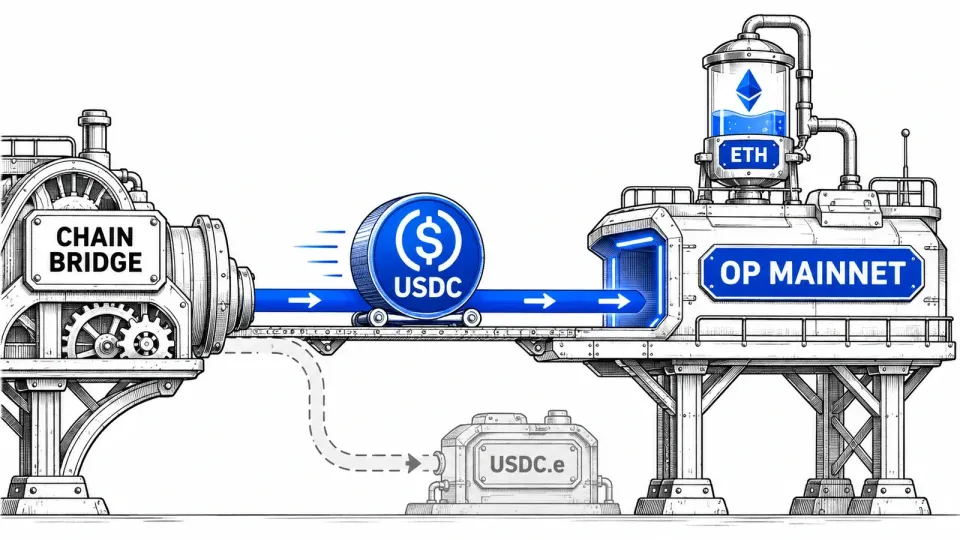
Receive native USDC on OP Mainnet by matching the network and Circle's token contract before you send. OP Mainnet uses ETH for ordinary transaction fees; holding OP tokens doesn't pay those fees. I would choose native USDC for a new transfer unless the receiving service explicitly asks for the older USDC.e token.
Identify the network and token first
OP Mainnet's network information identifies the production network as chain ID 10, with ETH as its currency symbol. OP Sepolia is a separate test network. A market quote labeled USDC/OP describes a trading pair between USDC and the OP token; it doesn't establish a deposit network.
| Asset | Contract on OP Mainnet | Receiving decision |
|---|---|---|
| Native USDC | 0x0b2C639c533813f4Aa9D7837CAf62653d097Ff85 | Use when the destination supports Circle-issued USDC on OP Mainnet. |
| Legacy bridged USDC.e | 0x7f5c764cbc14f9669b88837ca1490cca17c31607 | Use only when the destination explicitly accepts this representation. |
The addresses above identify the two token contracts in Optimism's token list. They are not your personal receiving address. The list says the legacy bridged version is being deprecated and directs users toward native USDC. That guidance doesn't automatically convert an existing USDC.e balance.
Circle confirms that native OP Mainnet USDC is issued by Circle. It also warns against sending bridged USDC.e to Circle Mint: Circle Mint and Circle APIs don't support that token, and funds may not be recoverable. For the broader custody and backing distinction, use the separate USDC and USDC.e comparison.
Prepare an OP Mainnet receiving address
Ask the destination to confirm both OP Mainnet and the accepted USDC contract. An exchange's USDC listing alone is insufficient. Read its current deposit screen, including any minimum amount or crediting instructions, before withdrawing from another service.
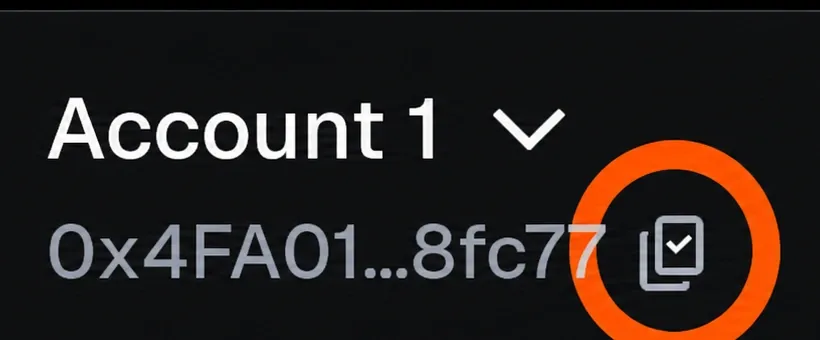
For your own MetaMask account, copy the public account address from the wallet. In the sending service, select OP Mainnet as the withdrawal network and the intended USDC representation. Compare the complete pasted address with the intended account before approving. I favor a small first transfer when the route or receiving service is unfamiliar, because a successful credit checks more than a familiar-looking ticker.
If your USDC is already on another blockchain, a normal Send transaction doesn't move it to OP Mainnet. Choose a supported crosschain route and inspect its output token. Circle's CCTP supported-chain table includes OP Mainnet for native USDC transfers. A service's actual route still needs to support your source chain and destination account.
The Standard Bridge uses a lock-and-mint model for bridged representations. Don't assume an Ethereum USDC deposit through that mechanism produces Circle-issued native USDC. Check the remote token contract, and choose another supported route if the displayed output is USDC.e but the destination requires native USDC.
Keep ETH ready, then send the selected USDC
Keep enough ETH on OP Mainnet for an ordinary outgoing transfer. ETH on Ethereum is a balance on another network. MetaMask's current gas-included network list doesn't include OP Mainnet, so I wouldn't plan an OP Mainnet transfer around paying its fee from USDC in that feature.
Read the wallet's current total fee estimate. OP Stack fees can include execution, Ethereum data and operator components under the applicable network configuration; the fee documentation explains their separate roles. A quoted exchange withdrawal fee or bridge service fee is a different charge. There isn't a fixed USDC transfer price that applies to every route.
- Open the sending account in MetaMask Extension and choose Send.
- Select OP Mainnet and the intended USDC token. Verify the contract if the wallet shows several similar tokens.
- Paste the destination account address after confirming that the recipient supports the same network and representation.
- Enter the amount and choose Continue.
- Review the recipient and estimated network fee, then choose Confirm only if both are correct.
- Open the transaction in Activity and use its block-explorer record to check the outcome before sending the remaining funds.
This follows MetaMask's Extension send sequence. A pending transaction has been submitted but hasn't yet reached the successful confirmed state. Don't send a duplicate merely because the receiving application's balance hasn't updated.
Check a missing balance at the correct stage
No transaction hash: inspect the sending service first. An internal withdrawal request isn't proof of an onchain transfer. If the service supplies a hash, open it on the explorer for the actual sending network.
Successful OP Mainnet transfer, empty wallet display: check the recipient and token contract in the explorer. If both are correct and you control that account, switch to OP Mainnet and use MetaMask's token display controls. In Extension, open the token section's three-dot menu, choose Manage tokens, and use Add custom token if the verified token isn't listed. Importing a token changes its visibility; it doesn't bridge or recover funds.
Deposit to an exchange: give its official support the hash and the exact asset/network details if the transfer succeeded but wasn't credited. Don't import your wallet seed phrase into a site offering recovery. An explorer success doesn't establish that the exchange supports the asset you sent.
Return through the Standard Bridge: its seven-day withdrawal challenge period applies to that bridge route to Ethereum. It isn't the confirmation time for a normal OP Mainnet payment. Optimism's finality explanation separates these stages. Follow the selected bridge's remaining claim steps rather than treating the source transaction as completed delivery.
Use the USDC network guides to check the other end of a transfer, or the bridge guides when the next action requires changing networks.