Chain Bridge

Contents
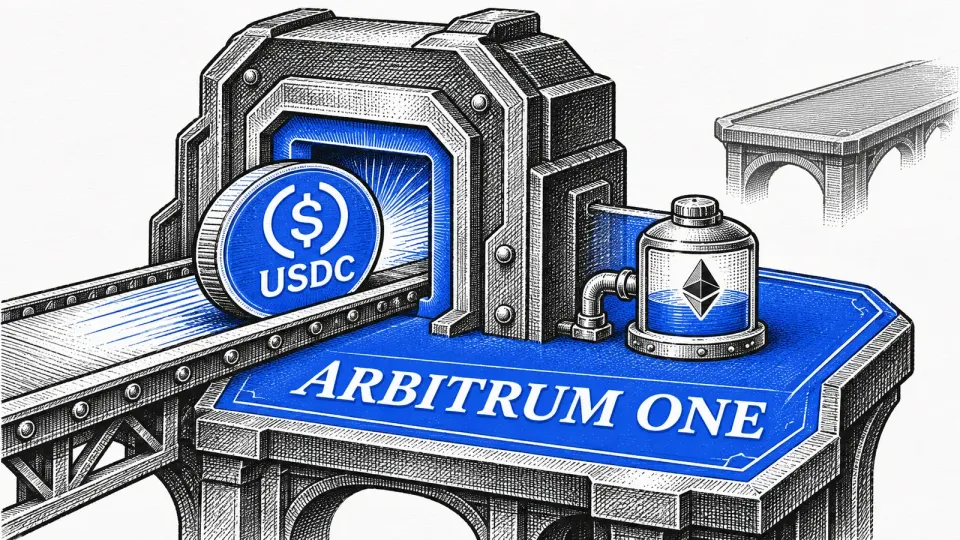
To receive native USDC on Arbitrum, select Arbitrum One and check that the sending service delivers Circle-issued USDC rather than USDC.e. Copy your own wallet's receiving address, then match the token and network before sending. I'd resolve the output token first: an Ethereum-to-Arbitrum bridge can deliver either form, depending on its route.
Check Arbitrum One and the USDC contract
Arbitrum One is the mainnet with chain ID 42161 and ETH as its native currency. Arbitrum's network directory lists Nova separately, while Arbitrum Sepolia is a testnet. A faucet balance on Sepolia won't fund a mainnet USDC transfer.
Circle's mainnet contract directory identifies native USDC on Arbitrum at:
0xaf88d065e77c8cC2239327C5EDb3A432268e5831
Arbitrum's USDC guide identifies the Ethereum-bridged form, USDC.e, at:
0xff970a61a04b1ca14834a43f5de4533ebddb5cc8
These are token contract addresses, not personal deposit addresses. Use them to verify the asset in your wallet or explorer; copy the destination address from your own receiving account or the recipient's current deposit instructions. USDC.e isn't issued by Circle, and importing it under a different name doesn't convert it to native USDC. The broader USDC versus USDC.e comparison explains that distinction.
Choose a route that delivers the intended token
If a sender already holds the required USDC on Arbitrum One, use a same-network transfer. If the balance is elsewhere, select a supported withdrawal or cross-chain route. Changing the receiving wallet's selected network doesn't move a balance from Ethereum to Arbitrum.
| Your starting point | Action | Check before approval |
|---|---|---|
| USDC on an exchange | Withdraw using the service's Arbitrum One USDC option, if available to your account. | The exact supported token, destination network, address and minimum. Buying USDC doesn't select a withdrawal network. |
| USDC already on Arbitrum One | Send from the funded account to the recipient's Arbitrum One address. | The recipient accepts that exact USDC contract, and the sender can cover the fee. |
| Native USDC on Ethereum | Choose a cross-chain route with the required Arbitrum output. | The canonical lock-and-mint route produces USDC.e; CCTP delivers native USDC. |
For a self-custody destination, select the intended account in MetaMask Extension and click its public address to copy it. Paste that complete value into the sending service's recipient field, following MetaMask's receiving instructions. Check the sending network explicitly, even if the app accepts the address.
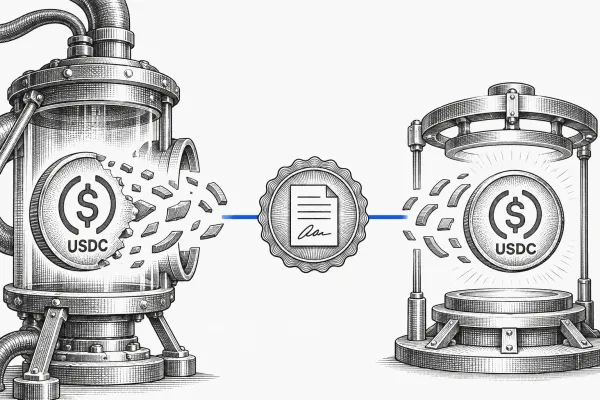
For an Ethereum balance, Arbitrum documents both USDC bridge outputs: canonical bridging locks Ethereum USDC and creates USDC.e on Arbitrum; Circle's CCTP burns and mints native USDC across supported chains. If the destination requires native USDC, I choose a route that explicitly identifies that output. A normal wallet Send on Ethereum won't perform that cross-chain operation.
Use the official bridge address linked from Arbitrum's bridge quickstart. Its documented flow selects the source and destination networks, then the token and amount, before Move funds and the wallet prompts. Inspect the quote and permissions before approval. For Ethereum-to-One canonical deposits, the quickstart requires ETH on Ethereum to initiate the transaction.
If you already have USDC.e on One, adding the native contract to MetaMask only adds a display entry. Obtaining the other token requires a route that exchanges or transfers the existing asset into it. Check the actual received amount and fees before accepting; the shared USDC name doesn't establish a fee-free conversion.
Prepare the fee on the sending network
For an ordinary self-funded Arbitrum One transaction, keep ETH on Arbitrum One for the fee. ETH held only on Ethereum doesn't satisfy that balance. I'd check the wallet's current estimate before moving the rest of the account's ETH, rather than rely on a fixed “cheap transfer” budget.
MetaMask offers a qualified alternative. Its gas-included transactions support Arbitrum and list both USDC and USDC.e among eligible fee tokens. The documented prerequisites are Smart Transactions and Estimate balance changes enabled in settings.
At confirmation, use the token dropdown beside Network fee to inspect the eligible balances on that network. MetaMask shows an estimate including a small MetaMask fee. Use this option only when it's offered for your actual transaction and the balance covers it; paying the fee in USDC doesn't mean the transfer is free. Otherwise, fund the ordinary ETH fee first.
Review a same-network USDC send
Open the recipient's current Arbitrum One deposit instructions before choosing an amount. Confirm that they accept the exact USDC form you hold; an exchange's USDC label alone isn't sufficient. I favor a small first transfer when its cost and the recipient's minimum make it useful.
MetaMask's Extension send flow follows this order:
- Select the funded account and click Send.
- Select Arbitrum One and the verified USDC token.
- Paste the recipient's address and compare the complete value with their instructions.
- Enter the amount and click Continue.
- Review the estimated fee, recipient and token. Confirm only when those details match and the fee is covered.
- Open Activity to inspect the submitted transaction and its explorer record.
A pending transaction is still awaiting confirmation. Once successful, MetaMask updates the token balance and marks the transaction Confirmed. Keep the transaction hash for the receiving service; its deposit-credit process is a separate check from the wallet's confirmed status.
Separate missing funds from a missing display entry
Start with the sending service's withdrawal record or wallet transaction hash. Confirm the source and destination networks, then compare the receiving address and token contract. If no transaction has been submitted, changing MetaMask's token list won't complete the transfer.
If the transfer reached your wallet on One, select that network and check token visibility. In MetaMask Extension, open the three dots beside Tokens, then Manage tokens. Filter or search for the verified asset. If it isn't listed, choose Add custom token, enter the correct contract, then Next > Import. MetaMask's token-display guide documents that sequence. Adding a token doesn't bridge it, change its contract or create a balance.
If you received USDC.e when you expected USDC, recheck the route's output rather than repeatedly importing the native contract. For a canonical bridge deposit that failed on the destination chain, Arbitrum's missing-funds guide directs you to the bridge profile's Transactions tab and, when applicable, its Retryables tool. That retryable-ticket process concerns canonical deposits; it isn't a general fix for every USDC route.
A canonical withdrawal from Arbitrum One to Ethereum has a different completion path: Arbitrum documents a wait of at least seven days, followed by Claim in the bridge transaction history. The claim needs ETH on Ethereum. Don't apply that wait to an ordinary One-to-One USDC send or assume it describes every cross-chain service.
If the destination is an exchange, contact that exchange's official support with the transaction hash and network; the exchange controls its deposit address. Keep your recovery phrase and private keys private. Nobody needs them to investigate a deposit.
Before another cross-chain transfer, identify both ends in the USDC network guides. Use the bridges and tokens hub to choose the relevant transfer task after the current transaction's status is clear.