Chain Bridge

Contents
Match your Kaspa ASIC to the pool's device-specific port, then check the KAS balance needed for a payment. I'd start with a shared pool because it distributes eligible block rewards among participating miners; a hosted solo connection leaves the block-finding risk with you. Choose native KAS payments deliberately, since a service can accept Kaspa mining work while paying another asset.
Confirm kHeavyHash support before comparing pools
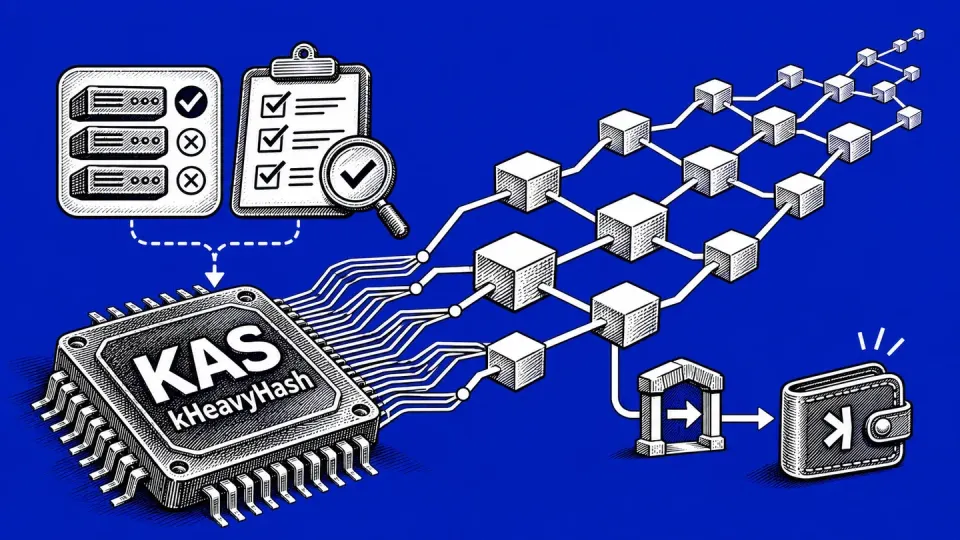
Kaspa mining uses kHeavyHash. A Bitcoin SHA-256 ASIC or a Litecoin Scrypt ASIC can't switch to Kaspa through a different server address. Check the exact model against the selected operator's hardware list. The 2Miners Kaspa setup page, for example, gives separate connection settings for IceRiver KS0, KS1/KS2 and larger supported ASICs.
GPU software can support the algorithm, but that doesn't make a new GPU rig a sensible purchase for KAS income. 2CryptoCalc's hardware guidance recommends against GPU mining because of low rewards. For equipment you already own, compare the expected coin revenue with electricity and cooling costs before leaving it running. A supported connection establishes compatibility, not a return on the hardware purchase.
Choose the reward and receiving conditions together
I'd consider HeroMiners when a low native-KAS payment floor matters, and 2Miners when its documented address-based setup fits the ASIC. Kaspa-pool.org offers another shared route. K1Pool adds an account layer, so its internal mining login and external receiving wallet need separate attention. These choices still require a suitable reward method and acceptable operating costs.
Focus the table and scroll sideways to compare the connection and payment conditions.
| Pool | Published conditions | Check before connecting |
|---|---|---|
| HeroMiners | 0.9% pool fee, 1 KAS minimum and a one-hour payment interval. Shared and optional solo routes. | Confirm the selected shared reward method and choose the port for the exact ASIC. An hourly payment check doesn't promise an hourly receipt. |
| 2Miners | 1% PPLNS fee, 50 KAS native minimum and automatic payment checks every two hours. KAS payout fees are covered. | Use the intended receiving asset and the hardware-specific server settings. PPLNS means pay per last N shares. |
| Kaspa-pool.org | 0.75% fee, 10 KAS minimum, PPLNS and SOLO modes listed. | Choose the shared PPLNS route if you intend to share rewards. Check its payment conditions separately from the displayed minimum. |
| K1Pool | PPLNS with a 50 KAS minimum shown. Published fee and payment-interval descriptions conflict. | Register for the internal Kr mining login, then add and confirm the separate KAS receiving wallet. Confirm the current fee and interval before committing. |
The current 2Miners pool dashboard and its public pool page both show a 50 KAS minimum. The 2CryptoCalc comparison row shows 100. Use the operator's current payment settings rather than carry that calculator row into the decision.
K1Pool's header advertises 0.5%, while its setup text and account and payment FAQ describe 1%. Its setup says KAS payments run every six hours; the FAQ says every 240 minutes. Confirm both conditions before choosing it on price or payment frequency. Its current onboarding also requires an account, despite older FAQ text referring to anonymous wallets.
A minimum and a payment interval answer different questions. Suppose your confirmed balance grows at an illustrative 2 KAS per day: reaching 50 KAS from zero takes 25 days, while reaching 1 KAS takes half a day. Those are balance-growth calculations, not predicted mining returns or exact receipt times. Actual credits can vary, and a payment check still has to run after eligibility.
Use the port assigned to your ASIC model
The server's regional hostname and its hardware port belong together. For a 2Miners US connection, the documented host is us-kas.2miners.com. Its KS0 port is 2121, KS1/KS2 uses 2222, and the listed KS3/KS3L class uses 2323. The GPU example on port 2020 isn't the default instruction for every ASIC.
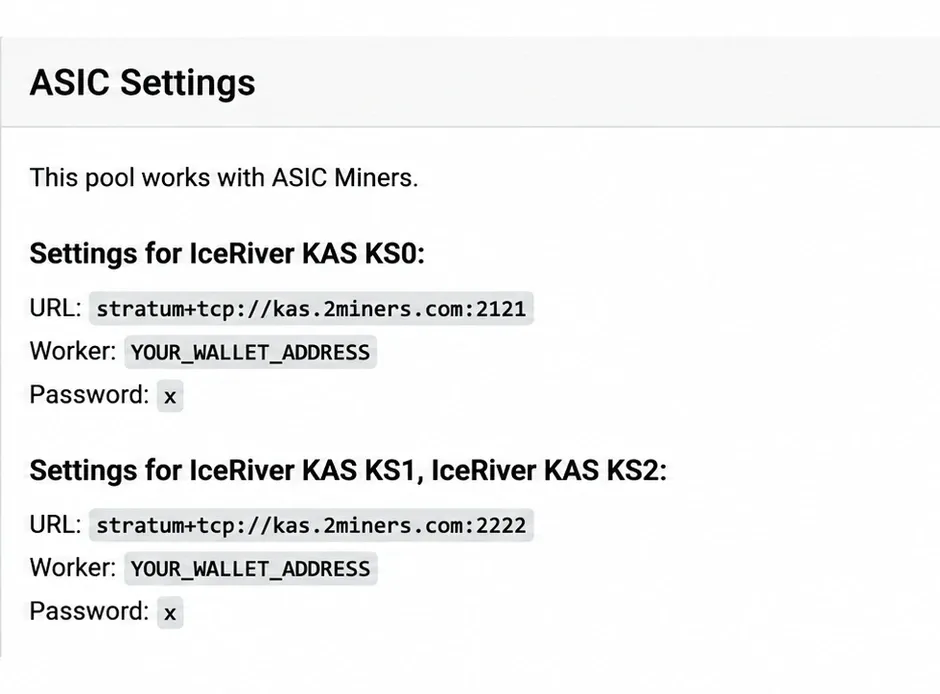
For a native-KAS KS0 example, the documented fields are URL stratum+tcp://us-kas.2miners.com:2121, Worker YOUR_WALLET_ADDRESS and Password x. Use your own Kaspa receiving address, including its kaspa: prefix. The placeholder isn't an address to copy into the miner.
These settings belong to 2Miners. HeroMiners' current Start panel assigns KS0/Pro/Ultra to port 1207, KS1/KS2 to 1208 and its listed KS3 class to 1210. It also lists separate US West, East and South servers. Choose a current regional endpoint and the matching device row; copying another operator's port won't preserve its settings. Check the current list for a newer model rather than infer its port from a similar name.
Keep the mining identity separate from the receiving wallet
In the 2Miners address-based route, the wallet address identifies the rewards destination. Its setup also supports BTC and TON receiving addresses, which change the payout asset and its costs. Use a native Kaspa address when the goal is to receive KAS. Before using an exchange destination, confirm that its network and deposit rules accept the payments you intend to receive.
K1Pool works differently. Its onboarding calls Kr_WALLET an internal account identifier, similar to a unique username. The miner uses Kr_WALLET.ASIC_NAME; the KAS receiving address is added separately on the account's Wallets page. Confirm it through the required email step and set the payment threshold. A Kr login isn't a native Kaspa address for an outside wallet.
Check the reward mode before saving the connection. HeroMiners documents the prefix solo: before the wallet address for optional solo mining. Kaspa-pool.org lists PPLNS and SOLO separately. A working solo connection doesn't give you part of another miner's block reward. I'd keep the shared route unless the operating budget can tolerate the uncertainty of finding eligible blocks individually.
Verify work, credit and payment in that order
After saving a connection, confirm accepted shares at the miner and locate the intended worker on the selected pool. For K1Pool, the setup directs you to My stats and says a worker can appear about 5 to 10 minutes after its first detected share. Check the right account and reward mode before changing the server again.
If work is accepted but the wallet is empty, inspect the pool balance first. Unconfirmed rewards, a confirmed balance below the threshold and a completed payment are different states. 2Miners' reward and payment explanation separates block confirmation from the automatic payment check. Once a payment is recorded, follow its transaction ID to the correct network and receiving address; an exchange can require further confirmations before crediting it.
Record actual credited rewards over the same operating period when comparing pools, including unpaid balances and power costs. A calculator's changing daily estimate or a pool's recent luck can't establish a measured winner. The Kaspa pool directory helps find alternatives, while NiceHash describes a hashrate marketplace in which buyers direct purchased work. Selling work there is a separate payment arrangement to assess.
Before moving the miner, check the old pool's unpaid balance and its remaining payout requirements. Use the mining pool library for the next accounting or connection question, and the mining hub for the equipment and operating decision.