Chain Bridge

Contents
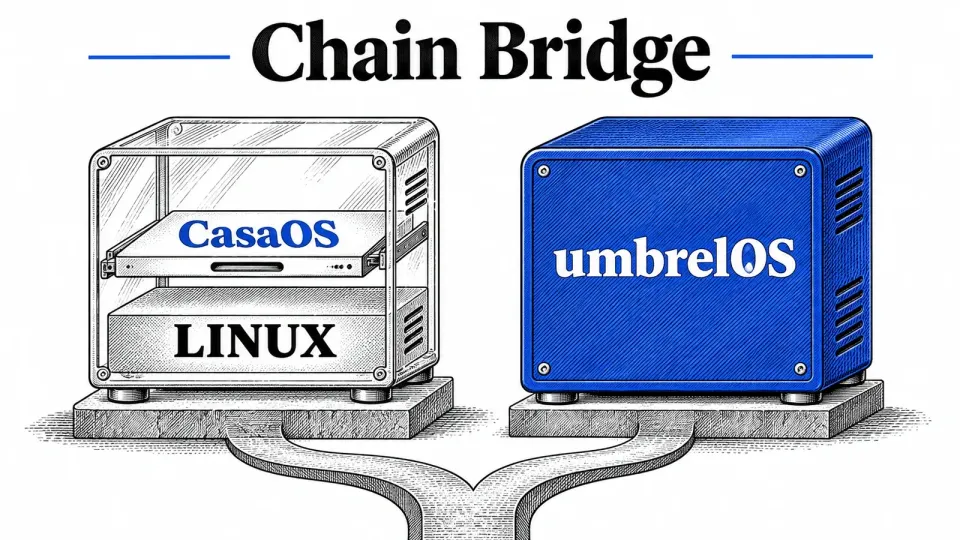
Choose CasaOS if you want a graphical app layer on a Linux host you intend to maintain yourself. I'd choose Umbrel for a dedicated home server when its packaged apps, household accounts and integrated backup workflow fit the job. The deciding question is who will manage the host and recover its data after something fails.
Both can put self-hosted apps behind an approachable dashboard. CasaOS leaves you responsible for the Linux foundation; modern umbrelOS supplies the operating system as well. Before changing a working server, check your essential app, its storage location and its recovery method.
Choose the platform around the machine you already have
On a narrow screen, scroll the comparison sideways. The table can also be focused and scrolled with the keyboard.
| Your requirement | CasaOS | Umbrel |
|---|---|---|
| Keep a general Linux host | App-management layer on a supported Linux installation; host administration remains a separate task. | Dedicated OS installation. Plan around the selected boot drive and existing data. |
| Configure a custom container | Custom Install imports a Docker run configuration; you still set ports and disk mounts. | Start with the actual Umbrel package and its supported settings. |
| Recover the household server | Keep app configuration and a separate backup of persistent data. | Encrypted hourly backups after setup, with exclusions that must be checked. |
| Give family members access | Check the user and sharing controls of each chosen app. | Owner/member accounts and shared apps; sharing an app uses the same instance and data. |
| Keep apps current | Separate host, CasaOS and installed-app updates. Optional third-party automation needs its own policy. | App updates are applied manually through the store. |
| Run a Bitcoin node | Evaluate the exact container, storage and connection configuration. | A first-party Bitcoin Node package is available. |
The underlying distinction is supported by the CasaOS installation and compatibility instructions and Umbrel's explanation of running its OS on your hardware. CasaOS recommends starting with a freshly installed supported system. I wouldn't interpret its Linux-layer design as a promise that adding it to a busy host is risk-free.
Umbrel can boot from a USB drive while leaving internal drives available for apps and data, or be installed onto onboard or internal storage. Flashing or installing erases the selected target drive. Its amd64 installation instructions distinguish those routes. A USB boot option doesn't replace a backup of the machine you're changing.
Keep CasaOS and ZimaOS separate
The CasaOS landing page now promotes ZimaOS as its next-generation NAS OS. That changes what you need to verify: a ZimaOS storage feature, license or hardware requirement doesn't automatically describe CasaOS.
The latest release returned by the CasaOS release listing is v0.4.15, published in December 2024. Its repository remains unarchived. An old release date is a reason to inspect the component and app you need, rather than proof that every part of the project has stopped. Even the repository named CasaOS-AppStore now describes itself as the source for the ZimaOS app store; a familiar repository name doesn't establish package compatibility.
For a new CasaOS installation, use the explicit tested-system list rather than a broad claim that it works on any Linux machine. The project's compatibility list recommends Debian 12 and lists amd64, arm64 and armv7 architectures. Check your app's architecture too: support for the dashboard doesn't establish support for every container you want to run.
Check the app's settings before comparing store sizes
Start with your essential app and the version or feature that makes it useful. For a media server, that might mean access to the right media folder and supported transcoding hardware. For a Bitcoin node, it means storage, network connections and the clients that will use the node. A larger catalog won't repair a missing setting. If the essential app has no suitable maintained package or workable configuration, resolve that gap before committing.
CasaOS offers a practical route when a store entry isn't enough. Its custom-install instructions describe importing a Docker run configuration, then configuring the access port and disk mounts. Those are consequential choices: a bind mount connects a host directory to a container, and it has write access by default unless configured otherwise, as Docker's bind-mount guide explains. Give an app only the folders and permissions it needs.
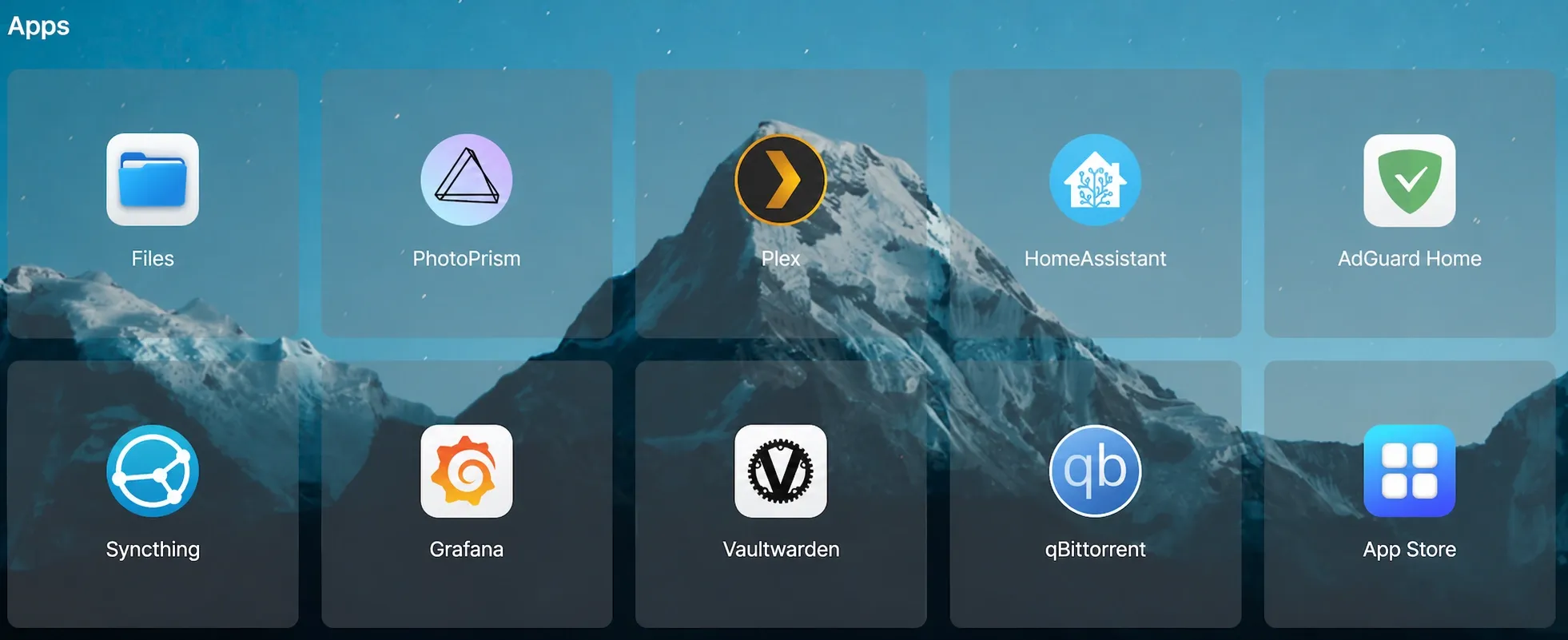
The CasaOS dashboard below shows the distinction between opening an installed app and visiting App Store. It shows an older dashboard layout; use it to recognize the app grid, rather than to judge today's catalog.
Select Enlarge image to read the details.
For a Bitcoin-focused dedicated server, I'd start by evaluating Umbrel's Bitcoin Node app. Its package exposes controls for the Core version, network connections and resource-related settings. Choosing the package reduces the configuration you have to assemble, but you still need to check the selected Core version and how your wallet connects.
Before relying on an extra store, inspect who maintains the package, its update history and the permissions it requests. The useful comparison is whether a maintained package supports your workload. Avoid choosing a platform on the assumption that any Docker image becomes an equally supported app on either dashboard.
Separate the host update from the app update
On CasaOS, Linux maintenance remains part of the job. The CasaOS update instructions provide a UI update route and warn that a terminal update must use SSH or a directly attached terminal, because the web terminal is interrupted during that operation. Updating CasaOS doesn't establish that the Linux distribution and every installed app are current.
CasaOS's FAQ says installed apps don't have native automatic updates and names Watchtower as an optional third-party approach. I'd keep deliberate updates for important data-bearing apps until their backup and rollback process is clear. Automated changes to app-store definitions and automatic updates of containers already running in your home are different operations.
Umbrel also leaves app updates to you. Open the available updates, read the notes and apply the change when you can check the app afterwards. If the package lags behind its upstream application, check its maintainer; a newer upstream release doesn't mean the Umbrel package is already available.
When something breaks, identify the layer first. Umbrel provides system and app logs under Settings > Troubleshoot, plus terminal access for advanced inspection. Older comparisons that describe it as lacking convenient logs or terminal access don't describe this workflow.
Choose a recovery plan before moving your files
A CasaOS Appfile export preserves installation configuration; it doesn't establish that your app's data has been backed up. The export feature in the CasaOS FAQ is described as a way to share installation configuration. Keep a separate recovery method for the files, database and credentials the app needs.
Docker distinguishes persistent volumes from the container's writable layer. Its volume lifecycle and backup guidance explains why recreating a container and recovering its data are separate tasks. For CasaOS, record the image version, ports, environment settings and storage mappings, then use the app's supported backup procedure for its persistent data. Preserve secrets privately rather than sharing them with an exported configuration.
Umbrel supplies an integrated alternative. Once configured, its encrypted backups run automatically every hour. The setup requires backup-location free space of at least twice the backup size, and the encryption password is required for recovery. Check user exclusions and data automatically excluded by app developers before assuming the backup covers a particular folder.
The storage exception can decide this comparison: apps moved to an external drive aren't included in umbrelOS Backups. Moving an app requires ext4 storage. Giving an app access to a folder and moving the app itself are different choices; identify where the data lives and arrange separate protection for anything outside your backup coverage.
A full Umbrel restore replaces the current account, apps and data. An excluded app may be reinstalled with fresh, empty data. I wouldn't start a platform migration until a recovery check on a separate destination has confirmed that the important files and app records are present. Open representative recovered files, check the app's important records and reconnect a client before retiring the original. Avoid overwriting your only working copy to find out whether an export is enough.
For a move between CasaOS and Umbrel, use the individual app's supported migration method and compatible versions. Neither the CasaOS Appfile description nor Umbrel's system-restore instructions establishes a universal cross-platform import. Keep the original system intact until the replacement's data and client connections have been checked. Wallet and Lightning recovery need their own application-specific procedure.
Match hardware, household access and remote access
For an Intel or AMD machine, Umbrel lists a dual-core 64-bit CPU, 4 GB RAM, 32 GB of OS storage, UEFI with Secure Boot off and Ethernet for setup. Those are platform minimums; size the machine for the applications and data you will add. Storage Manager and FailSafe require multiple internal drives and aren't available on Raspberry Pi. If the main job is a NAS, compare the required storage protection and recovery features directly; the app catalog doesn't establish them.
Umbrel supports Raspberry Pi 4 and Pi 5. Its current Pi instructions recommend microSD boot, with external drives added after setup; earlier claims that an external data drive is mandatory describe a different setup. A Bitcoin workload can still need far more storage than a basic dashboard.
For household use, I'd favor Umbrel when its owner and member accounts meet the sharing requirement. Members get their own account and private Home folder, but a shared app remains the same instance with the same data. Apps such as Nextcloud or Jellyfin can still need separate accounts inside the app. On either platform, decide who should see the data before sharing it.
Remote access is another configuration task. Umbrel's Tailscale route requires installing the app; Tor access is built in. CasaOS's community proxy and remote-access guide involves host, certificate and network choices. I'd establish access on the home network first and use a deliberate private-access setup before exposing an administration interface. If an existing Umbrel simply won't open on Wi-Fi, work through the local address and network checks before replacing the OS.
What published setup checks establish
In a June 2024 comparison, Stavros reported CasaOS and Runtipi deployment in under five minutes through their installation scripts. That's one author's historical setup observation, with hardware and exact versions unspecified. The report gives no separate timing for a clean Linux installation, data migration or Bitcoin synchronization.
Ramces Red's home-server comparison separately reports installing Nextcloud through both CasaOS and Umbrel, while finding CasaOS custom-container configuration useful. These reports support the practical appeal of graphical app deployment. Their different scopes and missing comparable runtime measurements don't support a combined speed average. I wouldn't choose a current platform by a claimed RAM, power or synchronization advantage drawn from those reports.
Pay for the workload you intend to keep
CasaOS is free and uses the Apache License 2.0. Umbrel's DIY OS has the same features and updates as its appliances, with no paid software tier, while the project uses the PolyForm Noncommercial License 1.0.0. Review the permitted-use terms for the intended deployment. Individual apps can have separate licenses or paid services.
The remaining costs are the machine, electricity, app storage, backup storage and your maintenance time. Keeping a suitable Linux host can favor CasaOS; a dedicated server with a suitable maintained package and a recovery workflow you can operate can favor Umbrel. Write down the essential app, where its persistent data will live and how you'll restore it. Then choose the platform that satisfies that plan. The node and home-server library provides the next setup and troubleshooting tasks.