Chain Bridge

Contents
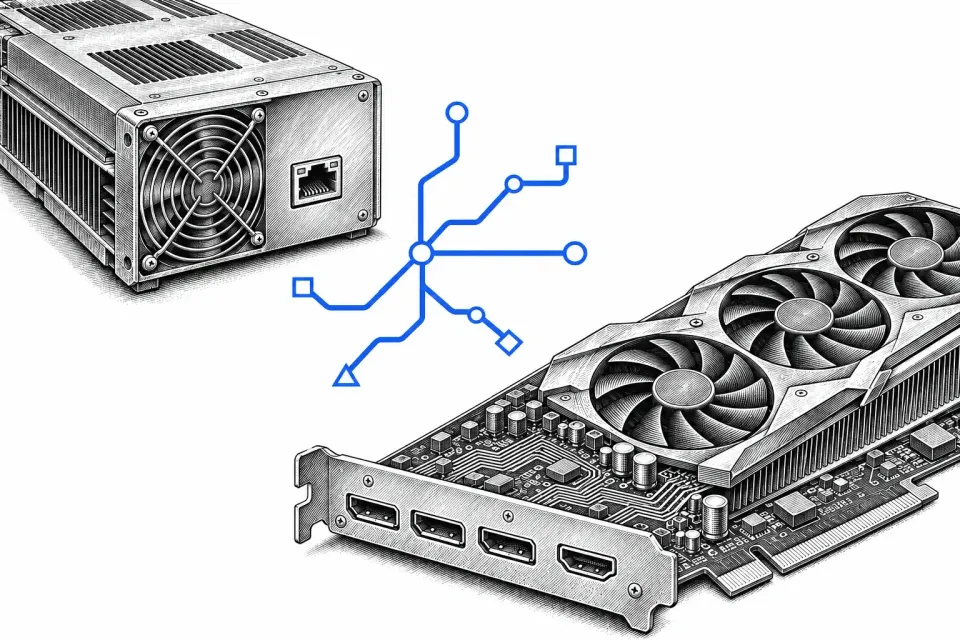
For direct Bitcoin mining, I'd choose a compatible ASIC; choose a GPU when you need supported alternative algorithms and have a useful role for the card beyond mining. Start with the work the hardware can perform, then compare the complete installation's costs. A Bitcoin payout doesn't establish that a GPU is mining Bitcoin blocks, and neither hardware type guarantees a profitable purchase.
Choose the algorithm before the machine
An ASIC is an application-specific integrated circuit. In mining, its hashing hardware is designed for a particular purpose: BITMAIN describes ASIC mining as work under specialized algorithms. Buy the exact algorithm support you need. The ASIC label alone doesn't tell you which network a machine can mine.
Specialization is different from being tied to a single coin. Compatible networks can use the same algorithm, but changing a pool address doesn't make incompatible hashing hardware suitable for another algorithm. I wouldn't buy an ASIC on a promise that a future firmware update will turn it into a general-purpose miner.
GPUs are programmable graphics processors used for work beyond mining. Their flexibility gives you more possible workloads, but each mining choice still needs compatible software, hardware and memory. Check support for your exact card and intended algorithm before paying; a list of coins on a seller's page doesn't establish a workable or profitable combination.
| Decision | ASIC route | GPU route |
|---|---|---|
| Direct Bitcoin mining | Check the exact Bitcoin-compatible hardware and pool requirements. | Don't choose a new GPU purchase as a competitive Bitcoin-mining route. |
| Changing the mining workload | Stay within the hashing hardware's supported algorithms and network requirements. | Confirm the new algorithm, card support, software and memory requirements. |
| Cost comparison | Include the miner, required power equipment, installation and cooling. | Include the complete host, cards, power supply and cooling. |
| Exit from mining | Price the actual resale or other supported use of that unit. | Value a specific graphics or compute use you need, or a realistic sale; flexibility alone isn't income. |
Focus the table and scroll sideways to read all columns.
Separate the work from the payment coin
Bitcoin's mining FAQ says specialized hardware is the cost-effective route today. A GPU can perform hashing, but that doesn't make buying one a sensible way to compete for Bitcoin block rewards. Bitcoin pool mining distributes work and rewards around the network's block-building process; the Bitcoin developer mining guide explains the ASIC and pool-share workflow.
A service can instead pay for computation in BTC. NiceHash offers CPU/GPU mining with Bitcoin earnings, while its marketplace describes miners supplying hashrate and earning BTC for shares. Receiving BTC through that arrangement doesn't establish that your graphics card performed Bitcoin's mining work. Record the algorithm supplied, the service's payment conditions and the asset received as separate fields.
Check that the target network still uses the mining process a guide describes. Ethereum's Merge permanently replaced proof-of-work with proof-of-stake; an old Ethereum GPU profit chart isn't a current ETH-mining opportunity. Ravencoin, by contrast, identifies KAWPOW as its mining algorithm. Those are different network choices, not interchangeable meanings of “Ethereum mining.”
Monero also deserves a separate decision. It uses RandomX, and the Monero project says CPUs are much more efficient than GPUs for its mining work. If XMR is your goal, reconsider the processor choice before buying graphics cards. “Altcoin” is too broad a category to choose hardware.
A network change can remove a mining workload altogether, as Ethereum's transition demonstrates. Before committing to specialized hardware, check the target network's planned changes and which other workloads the exact machine supports. For a GPU, identify a supported alternative rather than assuming the next coin will replace the lost revenue.
Compare results under compatible conditions
Don't rank a Bitcoin ASIC's TH/s against a GPU's MH/s on another algorithm. A hash is a unit of work for the named algorithm; converting the prefixes doesn't turn different work into a common performance test. Compare hashrate and energy efficiency within the same algorithm and identify the mode, software, hardware and power boundary behind each result.
If you're choosing between businesses that mine different coins, compare the resulting cash flows instead. Use the same observation period, electricity tariff, currency conversion basis and operating-cost boundary. Keep each network's difficulty, reward and price assumptions visible. That can support a purchase decision, but it isn't a claim that one processor is universally faster.
I would reject a comparison that combines an ASIC's whole-machine power with a graphics card's board rating. For example, NVIDIA lists the reference RTX 5090's Total Graphics Power as 575 W. That is a graphics-card specification, not a measured mining rig's wall consumption. It excludes the rest of the computer and doesn't establish the card's draw on a particular mining workload.
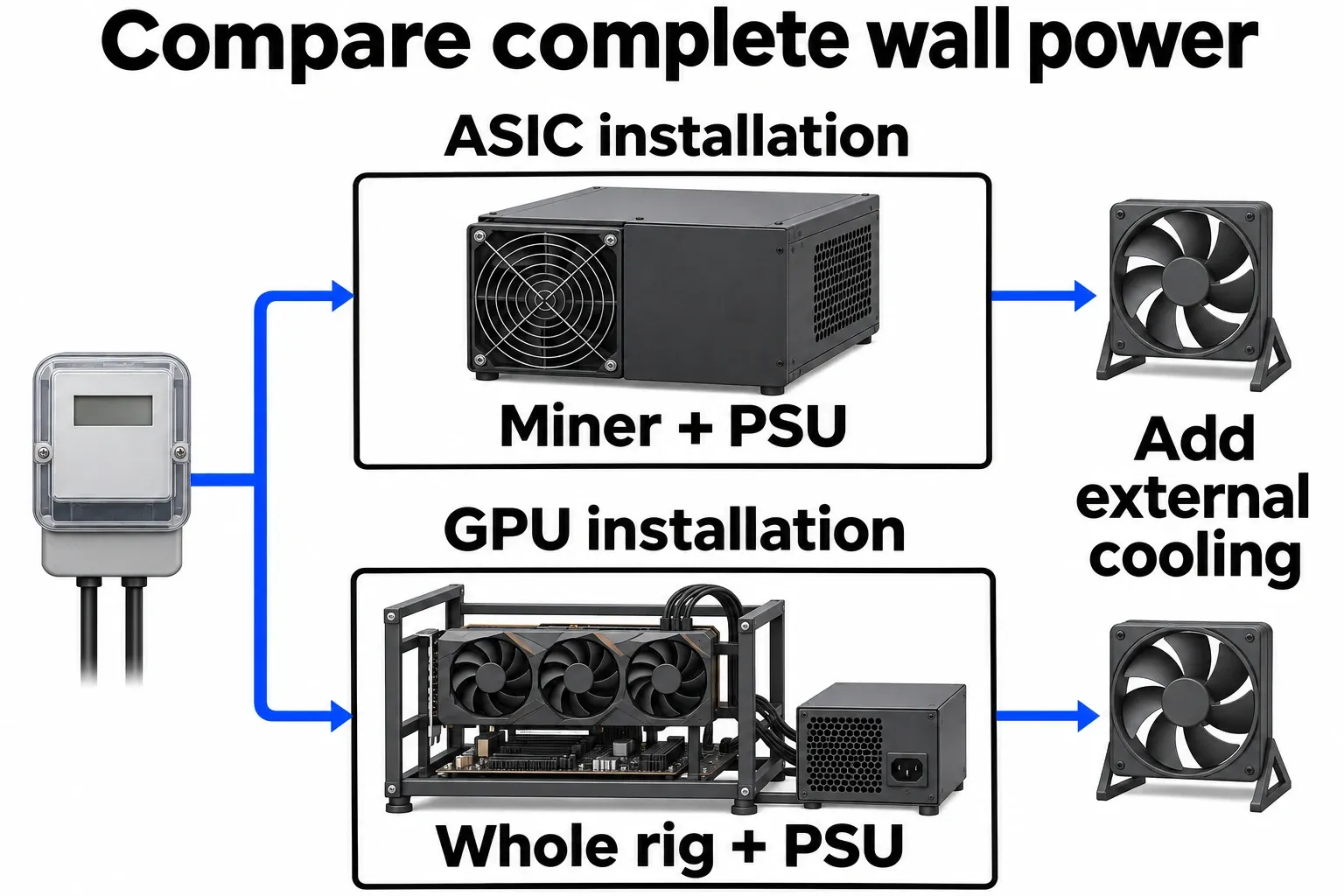
For a GPU installation, include the host computer, cards, power-supply losses and external cooling. For an ASIC, confirm whether the quoted draw includes its required power supply and any separate cooling equipment. Keep published specifications separate from measured wall-power results. A useful operating record pairs accepted work and energy use over the same period; a software power estimate alone doesn't establish the full electricity bill.
Distinguish a purchase from using hardware you own
Price the whole setup. A new GPU rig needs cards, host, power supply, frame or enclosure, cooling and any necessary electrical work. An ASIC quote also needs a complete bill: the machine, required power equipment, shipping, applicable import costs, installation and its cooling route. Ask which parts are included before comparing the headline prices.
For either route, subtract electricity, pool or service charges, miner-software fees where applicable, cooling costs and a repair allowance from the estimated receipts. Include payment or conversion costs that apply to the chosen route. Keep the initial purchase cost separate so that a positive operating margin isn't mistaken for recovering the investment. Tax treatment is another cost question to resolve for your own activity.
Already owning a suitable GPU changes the decision. For a short operating choice, count the additional costs of running it and the value of any use you're giving up. For a longer commitment, include wear, repair exposure and the option of selling the card now. A card already paid for can have a different operating decision from an identical card bought specifically for mining.
Stress the estimate before committing: weaker revenue, a higher effective electricity rate, downtime and a lower resale value. Avoid counting the same fee twice when a service has already deducted it. If the purchase only works at the advertised day's revenue with uninterrupted operation, I'd reduce the commitment or pass.
Give the equipment a workable home and exit
Check voltage, connectors, circuit capacity, heat removal and the noise you can accept for the exact installation. An industrial air-cooled ASIC and a desktop GPU setup can demand very different arrangements, but neither label establishes a safe circuit or a quiet room. Resolve the electrical and cooling requirements before delivery. Don't adapt an incompatible supply by guessing at plugs or suppress thermal protection to keep a machine running.
A GPU has plausible uses after mining: NVIDIA's RTX platform describes graphics, video-editing and AI workloads. Count that flexibility when it serves something you would otherwise buy or use. A possible compute-rental listing isn't an occupied rental, and a resale asking price isn't money received. Compare completed sales for the same model and condition, then allow for transaction costs.
Check support and warranty terms for the actual product, seller and jurisdiction. I wouldn't choose a GPU on a universal resale percentage or reject an ASIC because a guide assigns the whole category a fixed lifespan. For used equipment, the individual unit's condition and credible operating evidence matter to the purchase.
Make the choice with the missing inputs visible
Before buying, write down the target network and algorithm, the exact hardware and software support, the payment route, the complete delivered cost and the power boundary used in the estimate. Add the site's electrical and cooling requirements, the weaker revenue case, and what you will do with the equipment if mining stops making sense.
For direct Bitcoin mining, shortlist compatible ASICs and price the installation you can support. For alternative mining plus a real graphics or compute need, evaluate a supported GPU setup against keeping or buying that hardware for the other job alone. If the missing inputs prevent a credible comparison, postpone the purchase. Use the mining library to continue with the specific pool, power or operating question you've identified.