Chain Bridge

Contents
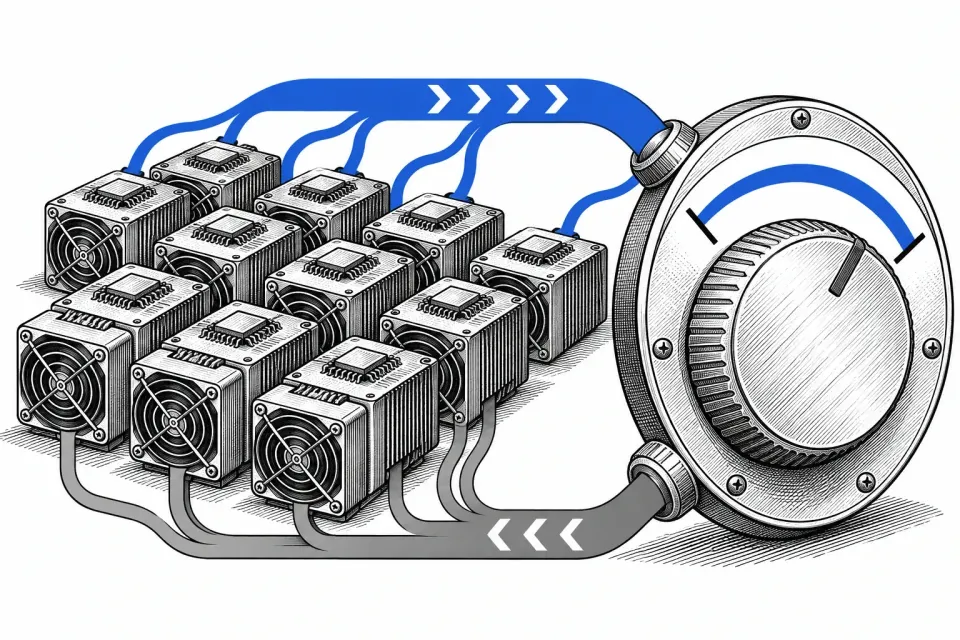
Overclock an ASIC miner only through a profile supported for its exact hardware and firmware, after confirming that the power supply, electrical installation and cooling can handle the proposed load. I'd first compare the current stable setting with a supported automatic-tuning target; a manual frequency or voltage recipe from another miner is a poor starting point. Keep the new profile only if it delivers an acceptable combination of wall power, pool-credited work, stability and operating margin.
Choose more hashrate or a lower power bill
Overclocking raises the mining chips' clock frequency above their stock setting. Underclocking lowers it; undervolting lowers chip voltage. Those are different changes, and a stable voltage at one frequency doesn't establish a stable voltage at another.
Autotuning is a method of finding settings, rather than a synonym for overclocking. Braiins describes calibrating individual chips because their capabilities differ. It can tune at a lower, stock-like or higher power target. Its purpose is to improve the work obtained at the selected operating point; a higher target still needs its own power, cooling and cost assessment.
If electricity cost is the problem, compare a supported lower-power target before chasing a larger hashrate number. If you have usable capacity and want more output, evaluate a supported higher target against the extra electricity and fees. Neither choice guarantees a better margin, and a more efficient profile can still lose money.
Establish the limits before changing a target
Record the exact miner variant, controller, firmware build, PSU and cooling arrangement. Confirm the publisher's support for that complete configuration, the available profiles and the documented return to your current stable setting. Firmware installation and recovery are separate decisions; having a tuning menu doesn't establish that a replacement firmware is compatible.
Compare the proposed operating load with the ratings of the complete power path: supply, cables, connectors, distribution equipment and electrical circuit. Use the applicable installation requirements and have unresolved circuit capacity checked by a qualified electrician. A power target in software isn't an electrical protective device. Don't open an energized PSU or change wiring to make a profile fit.
Resolve cooling at the expected hottest operating conditions. Keep fan detection, temperature protection and shutdown behavior appropriate to the real cooling system. Immersion mode belongs to a compatible immersion installation; selecting it on an air-cooled miner doesn't add cooling capacity.
Check the terms before accepting the risk. Bitmain's security firmware Q&A warns that unauthorized third-party firmware voids its warranty. Obtain the terms for your actual unit and seller, plus written host approval for a hosted machine. Returning to stock or selecting a lower target doesn't by itself establish restored coverage.
Save a baseline you can compare with the result
Begin with a healthy miner at its supported stable setting. Resolve missing hashboards, repeated restarts, overheating or absent accepted work before tuning. Increasing a target to compensate for a faulty board makes the comparison harder and can concentrate load where it doesn't belong.
Keep a record of the profile, firmware build, active boards, wall power, sustained device hashrate, pool-effective hashrate, accepted and rejected work, temperatures, fan behavior and interruptions. Record ambient conditions and the observation period too. Use the same meter and measurement boundary for both profiles, including any cooling equipment whose consumption changes.
Check the pool's reporting window before comparing it with the miner's dashboard. A long rolling average can still contain work from the previous setting. Share difficulty can also change, so raw counts of accepted shares aren't a reliable comparison unless their difficulty and observation time are comparable. For example, CKPool's worker accounting adds each accepted share's assigned difficulty. Use the pool's documented work or effective-hashrate metric and separate stale/network problems from invalid work.
Apply one supported profile and follow its status
Use the instructions for your installed release. For example, Braiins documents Configuration → Performance, Enable Autotuning, then a Power or Hashrate Target. Its Dashboard shows Tuner status, and Stable indicates completion for that target. Choose a target already confirmed within the unit's operating limits; don't enter a wattage copied from a different model.
Other firmware uses a different route. NiceHash Firmware's automatic-tuning instructions offer Hashrate Target, By Percent and Power Target, then show progress in Status until Mining. The publisher explicitly notes that actual power use may vary. Follow those controls only on a supported installation of that firmware.
Change one operating target at a time and keep the pool destination, cooling arrangement and measurement method consistent. I wouldn't start by combining a firmware replacement, a manual voltage reduction and a higher clock: if accepted work falls, several plausible causes arrive together. For a group of miners, evaluate one unit first, then verify each additional machine rather than assuming the same model name guarantees the same result.
Allow for the release's documented tuning behavior. Braiins' tuning FAQ says completion can take several hours depending on the model and controller, while other overview pages describe shorter examples. Follow the actual status and current release guidance, rather than a universal timer. A build using Continuous Tuning is a different case: its documented beta mode keeps adapting instead of finishing with a permanently fixed profile.
Keep temperature control separate from the tuning target
In the documented Braiins cooling controls, Target Temperature governs fan regulation, Hot Temperature triggers Dynamic Performance Scaling when enabled, and Dangerous Temperature stops mining. These controls have different jobs. Don't raise the shutdown threshold or disable fan checks to make an otherwise failing overclock continue.
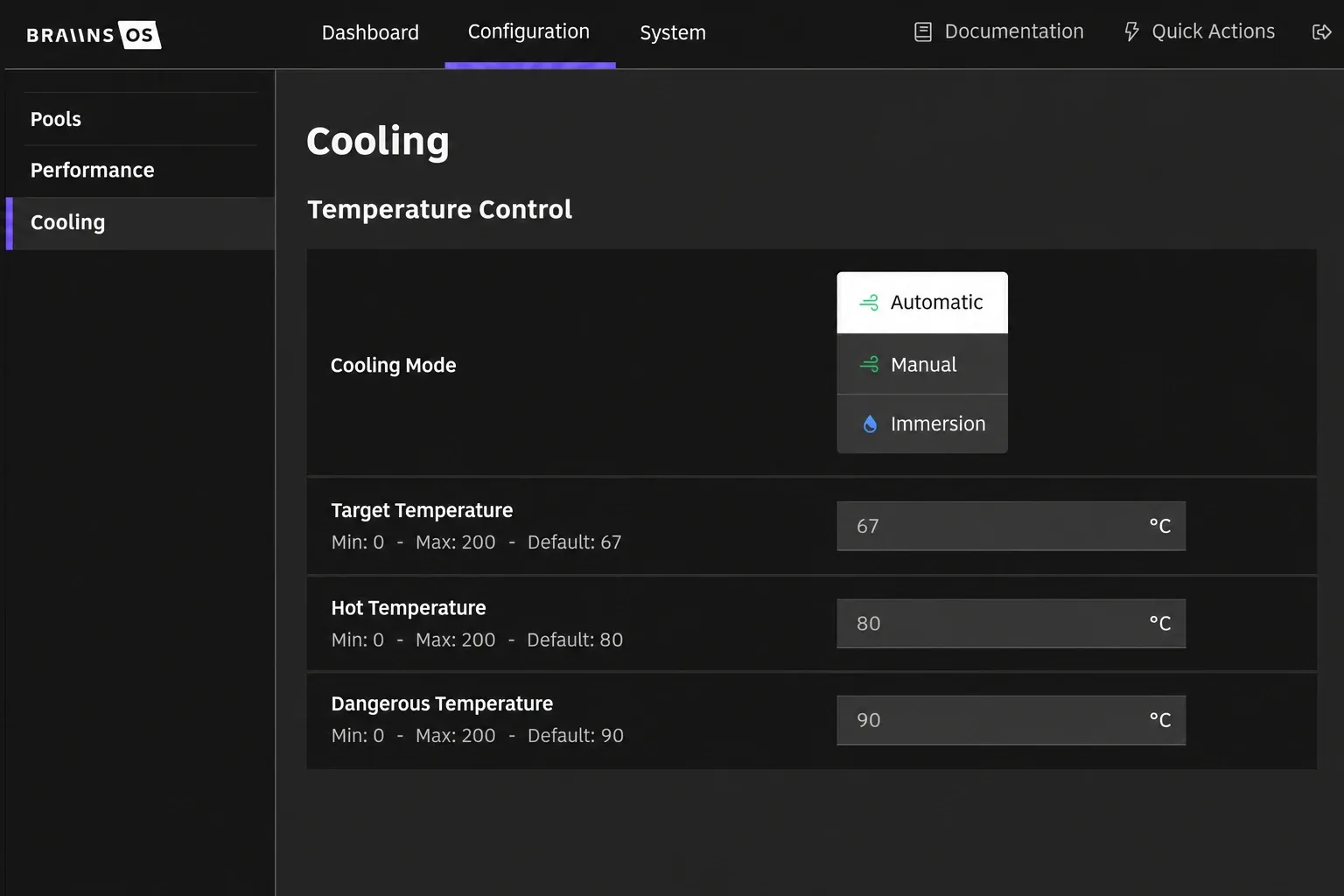
A software power reading also needs verification. Braiins' FAQ recommends measuring at the wall because its software indication isn't an accurate wall-power measurement, and notes that consumption changes with chip temperature. Compare a stabilized operating period, then check that the profile remains acceptable when ambient conditions change.
Compare efficiency and the extra cost separately
For a consistent hashrate boundary, energy per terahash is wall watts divided by terahashes per second, expressed as J/TH. Lower is more efficient. Name the hashrate source: Braiins Pool calculates effective hashrate from submitted work and explains its variation. Dividing by the device rate measures something different from dividing by that pool-effective rate. Use the same source before and after.
| Profile | Average device rate | Wall power | Energy per hash |
|---|---|---|---|
| Baseline | 100 TH/s | 3,000 W | 30.0 J/TH |
| Higher target | 105 TH/s | 3,300 W | About 31.4 J/TH |
Focus the table and scroll sideways to read all columns.
In this example, hashrate rises 5% while power rises 10%, so energy efficiency worsens. At a hypothetical $0.10/kWh, the extra 300 W costs $0.72 over 24 hours. That calculation says nothing about the extra revenue: the higher setting is worthwhile only if additional net credited revenue exceeds the added electricity and other incremental costs.
Include firmware and pool fees, rejected work, downtime and any additional cooling load without counting the same deduction twice. Compare revenue over equivalent periods or under the same stated revenue assumptions; a Bitcoin price or hashprice change between observations isn't a tuning gain. A lower J/TH figure is useful evidence, but the decision still depends on your actual tariff and total margin.
Keep the profile only after the work and limits agree
Retain the new setting when its operating readings stay within the documented limits, the expected boards remain active, the intended pool receives accepted work, and the cost comparison meets your goal. Keep the baseline and the new profile record so a later change in ambient conditions has a clear reference.
If the change brings repeated resets, lost boards, overheating, electrical trips or persistent invalid work, stop the evaluation and follow the model's fault procedure. Where a return is safe, restore the saved supported profile through the documented controls. Don't repeatedly reset a breaker, raise protective limits or keep increasing voltage to force stability. Preserve the settings and logs for the manufacturer or firmware publisher if the problem persists.
My default is the lowest supported target that meets the operating goal with acceptable credited work and margin. Once that setting is established, use the mining library to plan the next decision about monitoring, pool operation or full running costs.