Chain Bridge

Contents
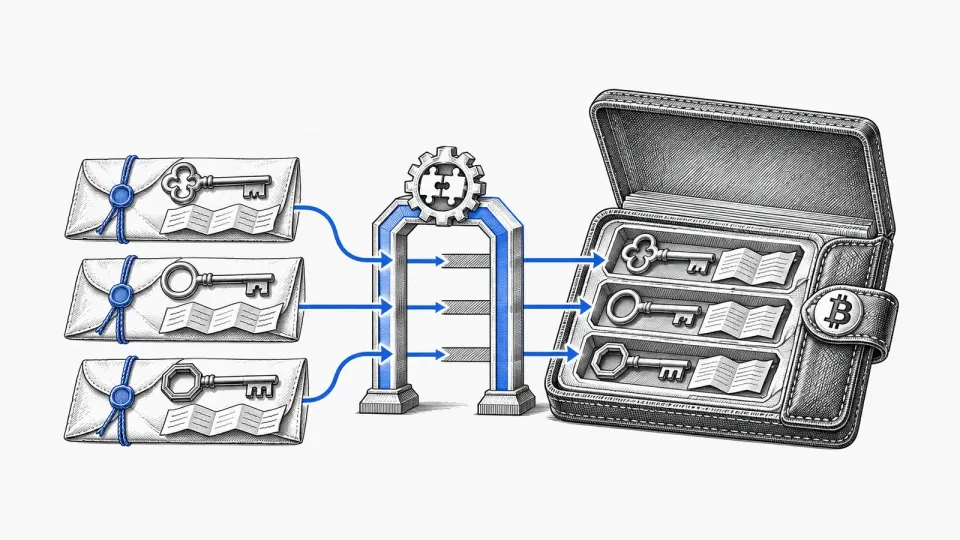
To import multiple private keys into current Bitcoin Core, put their correct output descriptors in one importdescriptors request array. Use a wallet with private keys enabled, preserve the original script configuration and choose timestamps that include the funds’ history. Old importprivkey and importmulti recipes won’t work on Core 30.0 or later: those commands were removed.
I’d prepare a separate encrypted, blank wallet for this job. It keeps imported material apart from a wallet already generating addresses, and makes the destination easier to verify before any private input.
Start with the original backup and known addresses
Keep an untouched copy of the original wallet or export before changing anything. If you have a complete Core wallet backup, restore that file rather than dismantling it into individual keys. Core’s wallet backup guidance distinguishes keys and scripts from metadata such as labels, which a blockchain rescan can’t recover.
Importing teaches a wallet about existing keys and scripts; it doesn’t move bitcoin to new addresses. A sweep is an on-chain transfer to another wallet. Import also doesn’t make an exposed key safe again, so treat known key exposure as a separate funds-transfer decision.
Choose the route that matches the material you own:
- Complete descriptors: retain the exact script expressions, key origins, branches and accompanying export fields. Preserve private signing material separately from public-only configuration.
- Bare WIF private keys: establish the original address or script type before constructing descriptors. A key alone doesn’t identify the wrapper used for its outputs.
- Multisig material: retain the threshold and every participating key’s configuration. One private key alone doesn’t describe the complete multisig output or guarantee enough signatures.
Core’s descriptor language distinguishes pkh(KEY), wpkh(KEY) and sh(wpkh(KEY)). These describe different scripts. wpkh requires a compressed public key; don’t force an old uncompressed key into a SegWit construction. Nor is combo(KEY) a universal recovery expression: its supported combinations don’t cover every script, including Taproot.
Use known original addresses to check the configuration later. I wouldn’t guess a different wrapper because a balance hasn’t appeared. That changes the outputs being searched rather than establishing the cause of missing history.
Prepare a compatible destination
On modern Core, the destination is a descriptor wallet. The 30.0 wallet changes removed legacy wallet loading and creation as well as the old import commands; migration is the supported route for an existing legacy wallet. Don’t delete wallet directories or downgrade merely to follow an old tutorial.
For a new private-key import destination, open File → Create Wallet, choose a distinct name, select Encrypt Wallet and Make Blank Wallet, and leave Disable Private Keys unchecked. Complete creation with a strong passphrase and keep it securely. A blank wallet starts without keys or scripts, as defined in Core’s wallet creation options.
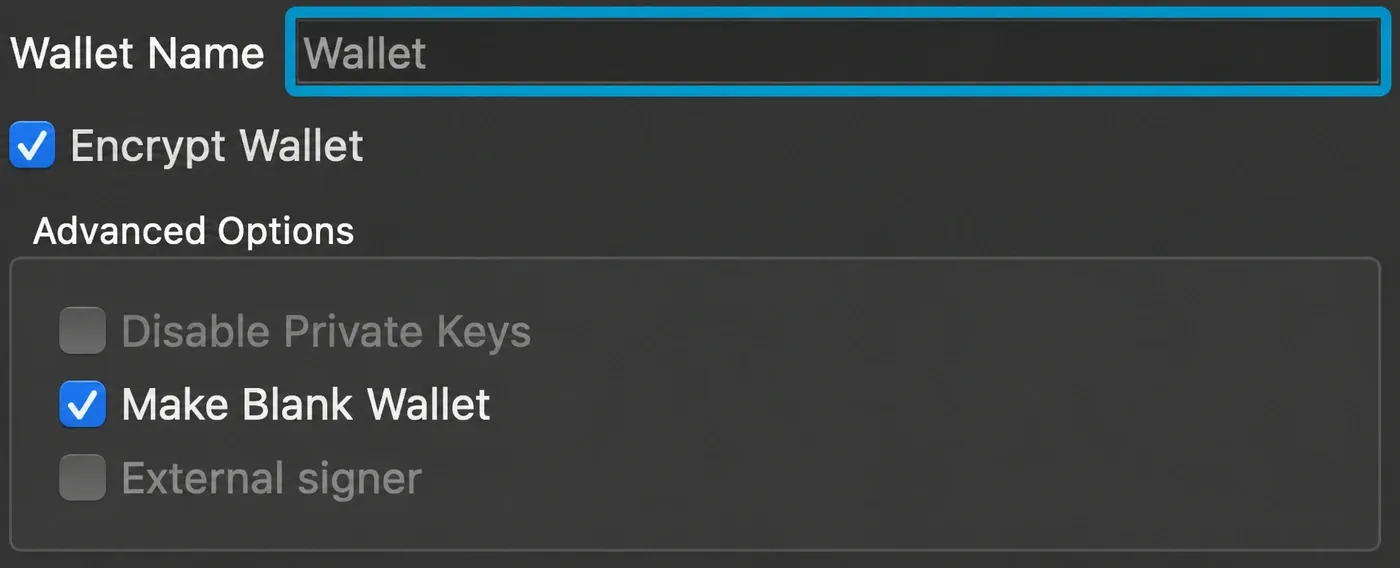
A watch-only destination is a different choice. Core’s import implementation rejects descriptors containing private keys when the destination disables them; a private-key-enabled wallet rejects a descriptor with no private keys. Don’t strip the private key from an export and expect the destination to retain signing ability. For a watch-only wallet, import the correct public configuration into a destination created with private keys disabled; the GUI doesn’t combine that choice with the encrypted blank-wallet selections shown above.
Check the wallet and available history first
The commands below are documentary examples for Core 32.1. Your local node must be running with RPC available and the destination wallet loaded. Use its normal local authentication; replace import-wallet with the exact destination name, and use the same network and data-directory options as that node. Each line in this block is a separate command.
bitcoin-cli getblockchaininfo
bitcoin-cli -rpcwallet="import-wallet" getwalletinfo
bitcoin-cli help importdescriptors
In the blockchain status response, check chain, synchronization state and pruned. Historical scanning needs the relevant blocks. If pruning removed them, a wallet import can’t manufacture that missing history; arrange access to the required block data before expecting a complete scan.
In the wallet status response, confirm walletname, descriptors and private_keys_enabled. Check scanning too: don’t start this operation while another rescan is running. Resolve a wrong network, wrong wallet or unavailable historical data before supplying private material.
Keep private input out of command arguments
Use a protected local terminal with recording and shared scrollback disabled. Don’t paste a private descriptor into a website, chat or support ticket. I prefer Core’s -stdin input route because it keeps the descriptor out of the command-line argument list. It doesn’t hide terminal echo or protect a compromised computer, and a saved input file remains sensitive.
The CLI input options read one argument per line until the terminal sends end-of-input. Run the command first, then supply the requested input to that running process. Use your terminal’s supported end-of-input action to finish. Don’t put a shell command, prompt symbol or explanation on those input lines.
An encrypted destination must be unlocked for import. The separate -stdinwalletpassphrase option masks the wallet passphrase as it is read. Here 300 is an illustrative unlock window in seconds, not an estimate of scan duration; choose a window appropriate to your operation.
bitcoin-cli -rpcwallet="import-wallet" -stdinwalletpassphrase walletpassphrase 300Enter the wallet passphrase at the hidden input prompt. Keep private-key input out of the GUI console: Core 32.1’s console history filter doesn’t include getdescriptorinfo or importdescriptors. A sensitive-looking command is not automatically redacted.
Calculate the checksum for the original private expression
If an intact export already supplies the complete descriptor and checksum, preserve it. For an expression you have correctly constructed from an owned key, ask the local node to analyze it:
bitcoin-cli -stdin getdescriptorinfoSupply the original expression as one line to the running process and finish input. Core’s descriptor analysis response has two easily confused fields: descriptor is normalized public text with private keys removed, while checksum belongs to the original input. For a private-key import, append that input checksum to the original private expression, separated by #. Don’t substitute the returned public descriptor.
Successful analysis confirms that Core can interpret the expression. It doesn’t prove ownership, a balance or enough signing keys. Match the intended script and known original address before importing; checksum validity alone can’t establish that the configuration is yours.
Send one array with deliberate scan timestamps
For fixed keys, each object can remain inactive. The following is a request-shape example, not usable import data: all capitalized values must be replaced locally, and wpkh applies only if the original outputs used native SegWit with compressed keys. It describes receiving outputs; preserve a known change role instead of copying internal:false indiscriminately. Each complete private expression needs its own matching checksum.
[{"desc":"wpkh(PRIVATE_KEY_A)#CHECKSUM_A","timestamp":0,"active":false,"internal":false},{"desc":"wpkh(PRIVATE_KEY_B)#CHECKSUM_B","timestamp":0,"active":false,"internal":false}]The import request fields require a checksum and a timestamp. Use 0 when the earliest use is unknown and a full historical scan is needed. A trustworthy creation time, expressed in Unix epoch seconds, can narrow the scan. "now" uses the current synced blockchain time and skips older history; reserve it for outputs known to be unused, not old keys with an unknown past. Core scans from the earliest timestamp in the array with a two-hour lookback and also considers the mempool.
After preparing and checking the complete array, run:
bitcoin-cli -rpcwallet="import-wallet" -stdin importdescriptorsProvide the entire JSON array on one line to the waiting process, then finish input. Pretty-printed JSON on several lines becomes several arguments under -stdin. Review the request before sending it: this call changes the wallet, and there is no rescan:false options object to copy from an old importmulti example.
Preserve ranges, change roles and multipath exports
The fixed-key example deliberately omits range and next_index. For a ranged descriptor, preserve the intended inclusive range and the next address index from the complete export, with next_index inside that range. A larger range is not proof that all historical outputs have been found. Setting range on a non-ranged descriptor is an error.
Use active:true only when a supported ranged descriptor should generate new addresses. Fixed descriptors can’t be active, and combo can’t be active either. Keep receiving and change configuration complete. For exactly two multipath expansions, Core imports the second as internal automatically; don’t add an explicit internal field to a multipath descriptor.
Core’s field validation also forbids labels on ranged, internal or multipath descriptors. Preserve the actual export’s structure instead of copying every field from the simple fixed-key example. This is where I’d stop and resolve an uncertain backup format rather than improvise a branch or address range.
Read every result before retrying
A normal response contains one result per request object, with success and any warnings or error. Read each entry. One success doesn’t certify the whole array, and a warning about missing private keys can mean signing functionality is incomplete.
Batch import is not an all-or-nothing transaction. Core processes objects and changes the wallet before the final scan. Some imports may remain installed when another item fails; a scan error can leave keys present but history incomplete. Even a later malformed object can interrupt a call after earlier changes. Don’t assume an overall error restored the original wallet state.
Compare the returned entries with your original request, then inspect the wallet before deciding which item needs correction. A scan error can involve unavailable, pruned or corrupt blocks, or background validation of an assumed blockchain. Keep the exact error for diagnosis, but remove private descriptors and keys before sharing it. Repeatedly resubmitting the same batch doesn’t resolve missing block data or a wrong script.
Verify the imported configuration and make a new backup
After the call finishes, check the destination and its descriptors again. The default descriptor listing omits private keys; treat that public export as private financial information because it can expose related addresses. For each known original address, use getaddressinfo to inspect its relationship to this wallet and compare the script with the original record.
bitcoin-cli -rpcwallet="import-wallet" getwalletinfo
bitcoin-cli -rpcwallet="import-wallet" listdescriptors
bitcoin-cli -rpcwallet="import-wallet" getaddressinfo "KNOWN_ORIGINAL_ADDRESS"
bitcoin-cli -rpcwallet="import-wallet" listunspent
Replace the address placeholder before running that line. Address information can confirm recognition of a particular script, but it doesn’t certify every derivation branch or enough signing material. Unspent-output results depend on wallet knowledge and confirmation filters; an empty array isn’t proof that the original keys never received bitcoin.
Check that scanning is false and resolve any scan errors before treating history as complete. Make a new backup using File → Backup Wallet after a successful import, and also preserve a new backup after a partial import that changed the wallet. Keep the untouched original as well. Core’s import help explicitly requires a new wallet backup.
When private-key work is finished, relock the encrypted destination:
bitcoin-cli -rpcwallet="import-wallet" walletlockIf the configuration matches but historical transactions are missing, investigate the scan and block availability rather than importing guessed scripts. For node synchronization and local operation, continue with the Bitcoin node guide; the Nodes hub keeps the surrounding node tasks together.