Chain Bridge

Contents
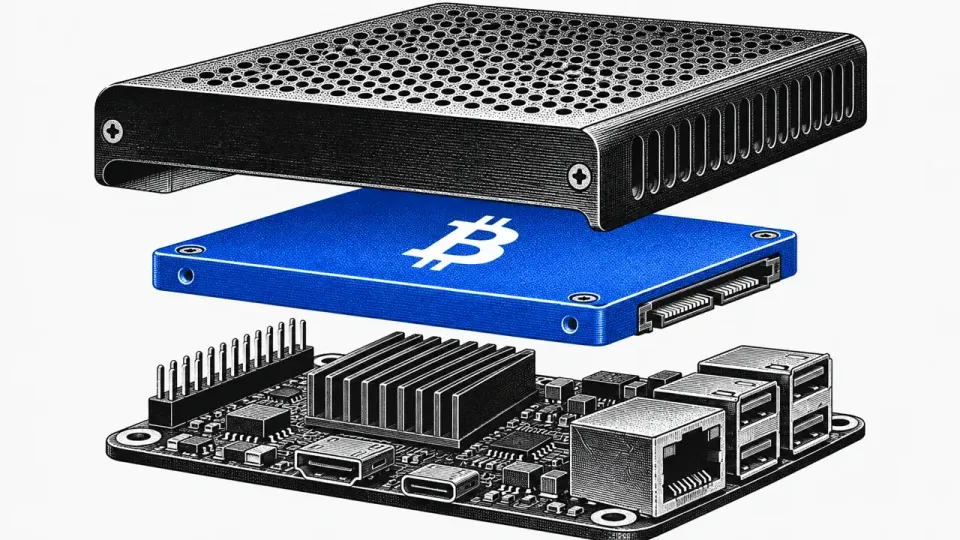
For a first Bitcoin node, I'd check an existing computer before buying a dedicated box. The deciding questions are storage, the apps you want alongside Bitcoin Core, and whether you want a machine running continuously. An SSD-equipped mini PC is a practical dedicated option, but you don't need mining hardware to validate Bitcoin.
Choose what the node must retain
A pruned Bitcoin Core node validates the chain and discards older block files after checking them. An archival node keeps those files. Pruning reduces retained storage; it doesn't skip the initial download and verification. The Bitcoin Core download instructions explain the distinction between download requirements and pruned storage.
I'd choose pruning when the job is personal validation on limited storage. For an archival home server with extra indexes and apps, a 2 TB SSD is a planning choice that leaves more room than sizing the drive to today's raw blockchain. It isn't a universal minimum or a promise that every future app will fit. Confirm the requirements of the actual software stack before buying.
| Your situation | Hardware route | Check before committing |
|---|---|---|
| You already own a suitable computer | Run Bitcoin Core there first | Free SSD space, sleep settings and data allowance |
| You want a dedicated home server | SSD-equipped mini PC | Supported OS, drive interface, cooling and memory for extra apps |
| You enjoy assembling a small board | Supported Raspberry Pi build | Power supply, SSD compatibility, adapter and enclosure costs |
| You want vendor support | Preconfigured node appliance | Storage configuration, update policy and support terms |

Don't mistake a connector for compatibility
M.2 describes a form factor, not a guarantee that a drive uses the protocol your machine accepts. In one operator's thin-client comparison, a Dell Wyse 5070's SATA-only M.2 slot is a deciding limitation. Verify the service manual for the exact machine and SSD before ordering. A used computer's low price can disappear once it needs a different drive or power adapter.
Raspberry Pi builds need the same care. Bennet's Raspberry Pi 5 build uses 8 GB RAM and a 2 TB NVMe SSD, and calls out controller compatibility. That describes a complete build, not proof that any NVMe drive works with any Pi adapter.
For used hardware, check drive health, included power supply, network adapter and return terms. A low purchase price isn't useful if the machine can't reliably retain its data.
What published setup results can tell you
Two published reports show why a single “sync time” number is misleading. Their workloads and hardware differ, so I keep their results separate rather than average them into a buying recommendation.
| Published observation | Conditions | Reported result |
|---|---|---|
| MarangoZ's pruned-node report | Ubuntu VPS, 2 cores, 4 GB RAM, 60 GB SSD; self-reported setup | Initial sync around 2–3 days |
| Bennet's Fulcrum setup | Raspberry Pi 5, 8 GB, 2 TB NVMe; additional wallet-server indexing | Fulcrum indexing took 3–4 days |
These aren't head-to-head benchmarks. Initial Bitcoin validation and a later index build are separate jobs. The useful buying lesson is to allow storage and setup time for the apps you need, instead of judging the whole stack by when Bitcoin Core finishes.
Check the OS and app platform before choosing the CPU architecture. A machine suitable for Bitcoin Core doesn't necessarily support the appliance OS or app bundle you planned to install.
Check the running cost and start small
Include the SSD, power supply, network connection and electricity in the budget. Use measured power for the chosen configuration when estimating cost; a processor's advertised power figure isn't a wall-power measurement of the complete node.
For Bitcoin Core alone, start with the desktop setup route. Add a wallet server or Lightning only when you have a use for it and understand its storage and backup requirements. Running the node itself doesn't pay block rewards.