Chain Bridge

Contents
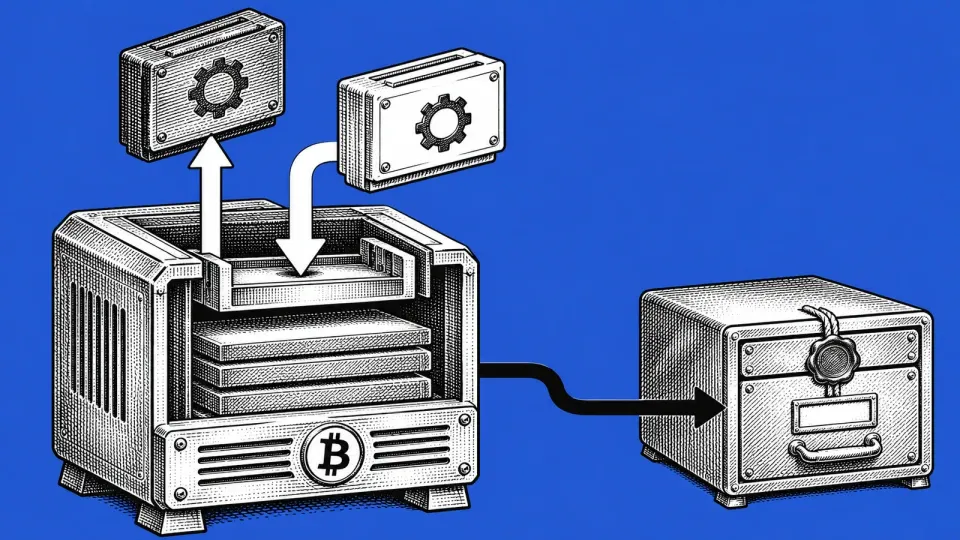
To upgrade an existing Bitcoin Core node, preserve recoverable wallet backups, check the chosen release's compatibility notes, and shut the old process down completely before replacing its software. Restart with the same intended network and data paths, then verify the running server, chain, wallets and dependent applications. I'd prepare the recovery copy before the first new startup, because returning to an old executable doesn't necessarily reverse changes to its data.
Identify the installation and target release
This route is for an existing BTC node. A Bitcoin Cash client, a development source checkout and a package supplied by a node appliance are different upgrade targets. For a managed appliance or container, use that project's supported update mechanism and compatibility instructions; a host-level installer may update software that the actual service never uses.
Record the current Core version, operating system and processor architecture. Identify the executable or package that starts the service, its account, network, configuration, data directory and any separate block or wallet directories. Keep those details private. The Core file-layout reference distinguishes application files from node data and documents the separate -datadir, -blocksdir and -walletdir locations. Replacing software should not begin with deleting those directories.
The project download page identifies 32.1 as the released target used here. Its release notes say that 32.0 was tagged but never fully announced or released. Don't choose an archive merely because its version string looks like the next step. Select an authenticated maintained release that your operating system and dependent software support.
For 32.1, the supported and tested minimums are Linux kernel 3.17, macOS 14, and Windows 10 version 1903. The same release notes put 29.x and older at end of life. Keeping an old binary for a recovery plan doesn't make it a maintained long-term choice. Those platform requirements aren't a promise about every processor or appliance image. Match the platform artifact too, including the distinction between Intel and Apple silicon on macOS. If you still need to establish the node's storage and launch configuration, settle that through the node setup route first.
For a working local RPC connection, getnetworkinfo reports the server's version and subversion. Those identify the server you reached; the version of a different bitcoin-cli file on disk doesn't establish that the service restarted with it. Core's network information reference defines the fields.
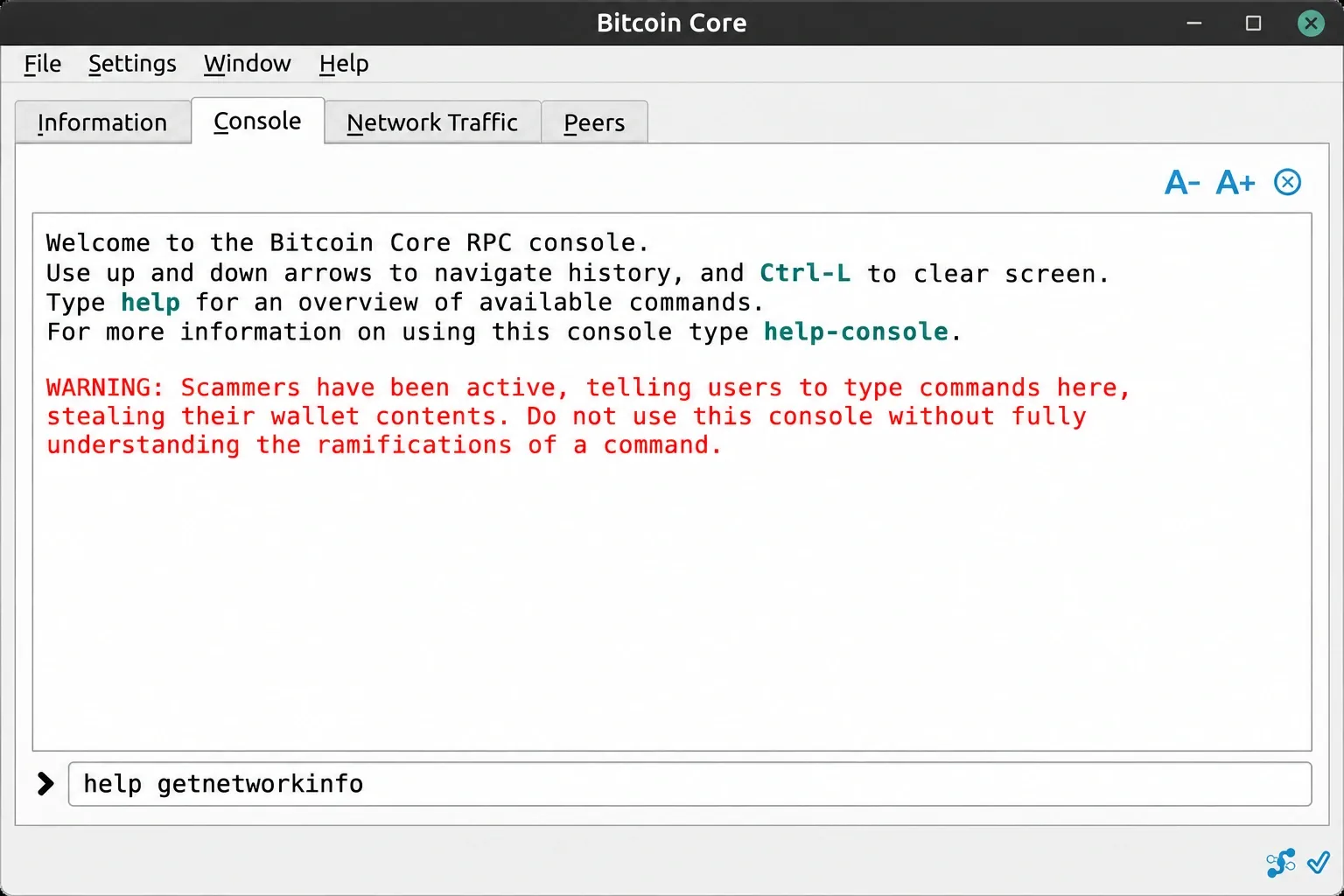
getnetworkinfo itself to read the server version. Select Enlarge image to read the details.Read commands before entering them: the Console can control a wallet. These are documented command forms, not recorded output from an upgrade. In the GUI Console, enter the method without the bitcoin-cli prefix. Retain your installation's normal local authentication and network options.
bitcoin-cli getnetworkinfo
bitcoin-cli getblockchaininfo
While the old service still works, save a private baseline for the later comparison: the network and chain tip, pruning mode, required indexes and their state, plus the intended wallets and a known transaction record. Check the same components after restart. A pre-existing scan or index delay then stays distinguishable from a change introduced by the upgrade.
Protect wallets and a separate pre-upgrade state
Back up every relevant wallet before changing the installation. For a working wallet, use its Backup Wallet action or backupwallet, selecting the intended wallet and a distinct destination. The wallet backup guidance requires a coordinated backup so the file is in a safe state. An ordinary copy of a live database isn't equivalent.
Check that each backup operation succeeds and its destination contains the expected file. Keep an independent original on storage you control, together with the recovery information needed by your custody arrangement. A file's presence or matching copy checksum establishes neither a remembered passphrase nor a complete signing policy. Protect encrypted backups too: Core's wallet guidance explains that encryption does not hide transaction metadata or public keys.
Preserve the original configuration and service settings. After a complete shutdown, a separate consistent copy of the node state gives a stronger rollback starting point than an installer alone. Include externally configured wallet and block locations; the main data directory may not contain everything. Keep related block-storage files together, including xor.dat where present. The file-layout reference identifies that file as the XOR pattern used for block and undo data.
Budget storage and downtime before making this copy. A wallet backup protects different information from a full node-state copy: downloaded blocks cannot replace missing private keys, while a wallet file doesn't preserve every node index or configuration. I'd keep the pre-upgrade copy untouched during verification instead of letting both versions write to it.
Review changes crossed by this upgrade
Read the chosen release notes and relevant intervening major-release notes. Direct upgrades from end-of-life Core versions are possible according to the 32.1 instructions, but data migration can take time. That statement doesn't guarantee that every old wallet feature, RPC client or database can move both directions unchanged. For a very old source version, inspect its historical storage-format boundaries too; retaining old block files doesn't establish that the target can reuse them without rebuilding or downloading history.
| Area | Documented change | Decision before startup |
|---|---|---|
| Legacy wallets | Core 30.0 removed ordinary loading and creation of BDB legacy wallets, plus legacy-only RPCs including upgradewallet. | Plan supported descriptor migration with independent originals. Installing a new node binary isn't the old wallet-version RPC. |
| Configuration and RPC users | Core 31.0 removed -paytxfee, settxfee and -maxorphantx. Core 32.1 changes some RPC result fields and defaults. | Review actual configured options and the calls your applications use. Resolve removed options before the maintenance window. |
| Signing integrations | Core 32.1 makes createpsbt, walletcreatefundedpsbt, converttopsbt and psbtbumpfee create PSBT version 2 by default. | Confirm the receiving signer or application supports that version, or use the documented version argument through its supported workflow. |
| Transaction index | A transaction index rebuilt under 32.1 uses a format previous releases cannot read; downgrade rebuilds it again. | Keep the recovery copy and allow for index work. Rebuilding the index for space savings is optional, not a prerequisite for the ordinary update. |
The 30.0 wallet changes, 31.0 configuration removals and 32.1 notes establish those version boundaries. The table is a preflight for affected installations, not an inventory of every release feature. A wallet-free backend doesn't need a wallet conversion just to update its node software.
Do not perform wallet migration with Core 30.0 or 30.1. The project's migration-failure advisory describes rare failures that can delete unrelated files in the wallet directory. Use the maintained migration route and preserve the original. Migration can create separate descriptor wallets for watch-only or solvable scripts, and the wallet guidance requires fresh backups afterward. Treat that conversion as its own planned operation.
Resource defaults matter too. The 31.0 notes increased default -dbcache from 450 MiB to 1024 MiB when at least 4096 MiB of RAM is detected, and specifically warn that a container may have less memory available than detected. Review the actual service limit; copying a desktop's cache setting into a constrained container can cause out-of-memory failures.
Stop fully, then replace the correct software
Authenticate the exact target package before executing it. Use the release's signed checksum manifest, establish the signers' identities and match the selected artifact's full hash. The download page provides the verification procedure. An unchanged filename or a hash from the same untrusted download doesn't by itself authenticate a publisher.
Pause dependent applications through their supported maintenance controls, then stop the existing node normally. Wait for its process to exit completely; a closing window or a stop request isn't proof that shutdown finished. Prevent a service supervisor from immediately starting the old instance while you replace files. Don't force a second process onto the same data directory.
For standalone 32.1 binaries, the release instructions specify running the installer on Windows, replacing /Applications/Bitcoin-Qt on macOS, or replacing the distribution's bin/ and libexec/ files on Linux after shutdown. Follow your actual package layout. Keep the distributed files together instead of updating only a familiar executable while leaving companion tools from another release. Managed packages need their own update mechanism.
Start one intended instance with its established account, network and data locations. If it presents an unexpected new data-directory setup or an empty wallet view, investigate the paths and loaded wallets before importing anything or deleting the previous installation. A new empty directory can look like lost history even though the original files remain elsewhere.
Verify the server and each application that relies on it
Once the normal local RPC connection is available, repeat the version and chain queries against the actual service endpoint. Confirm the expected target server and Bitcoin network, then observe chain progress and warnings. The chain status response separates validated blocks, headers, best-block hash and synchronization estimates. One favorable progress value isn't a complete acceptance check.
| Component | Check | Hold dependent work if… |
|---|---|---|
| Running node | Expected server version, network, peers, chain progress and applicable warnings. | The wrong instance answers, the network is wrong, or chain progress has an unexplained fault. |
| Optional indexes | getindexinfo reports each required index, its synced state and best_block_height. | The required index is absent or still catching up. |
| Wallets | Load the intended wallets; inspect their identity, scanning state and a known record locally. | A required wallet fails to load, migration is incomplete or a scan still lacks needed history. |
| External applications | Reconnect through the supported configuration and verify the application's own normal status checks. | Authentication, required RPC behavior, signer compatibility or the application's own index remains unresolved. |
The index status RPC and wallet status RPC describe those separate checks. A current node tip doesn't establish that an index, wallet scan or external service has finished. With AssumeUTXO, 32.1 also exposes historical backgroundvalidation separately; an active chain at the tip can coexist with ongoing background work.
Restarting Core changes its session authentication cookie. The RPC interface guidance describes unique cookie credentials generated at each restart. A client holding the previous cookie may need to reload it through its supported configuration. Fix the local credential path and permissions; don't expose administrative RPC publicly to solve a reconnect error.
Keep rollback tied to the data you preserved
Wallet compatibility depends on features and exact releases. Core's published backward-compatibility test checks successful loading and preserved transaction records in supported cases, but explicitly expects failures for others. Its cases include a descriptor wallet rejected by 0.20 and a wallet with Taproot descriptors rejected by 0.21. Those authored expectations aren't a promise that an arbitrary current wallet will open in every older version.
If startup fails, preserve the exact error, redacted surrounding log and the state that produced it. Check the package, paths, permissions and changed options before concluding that the chain database needs rebuilding. An upgrade alone isn't a reason to delete chainstate, reindex or rescan wallets.
For an actual rollback, stop the new instance completely and check the older release's compatibility with every store it would open. Keep the current state separate from the untouched pre-upgrade copy. Restoring an older wallet backup can omit later metadata or keys in relevant wallet arrangements; it also cannot undo transactions already sent to the network. Preserve newer wallet material and reconcile activity before relying on the old state.
Resume normal dependent work after the intended server, chain, required indexes, wallets and applications pass their own checks. Retain the original recovery material and fresh post-migration backups. Use the node maintenance library for a specific remaining fault rather than repeating the whole upgrade against the only working copy.