Chain Bridge

Contents
Preserve a safe copy of your Bitcoin Core wallet before trying recovery tools. Bitcoin Core has no forgotten-password reset: unlocking encrypted keys needs the correct passphrase, unless you still have another usable key copy or an already-unlocked signing session. If you remember most of the password, a carefully limited search may help; a strong password with no surviving clues can leave the funds inaccessible.
I’d start with your own password records and backup history before paying for hardware or handing a wallet file to someone else. The useful question is what information you still have, and whether it narrows the search enough to justify an attempt.
Confirm which password has failed
A wallet encryption passphrase protects private keys inside the wallet. It’s separate from an operating-system login, an exchange account password and the RPC credentials used to connect software to your node. An RPC authentication error belongs to your Bitcoin node connection setup; changing that login won’t decrypt wallet keys.
Seeing a balance or transaction history doesn’t prove that the wallet can spend. Core’s wallet encryption protects private keys while leaving other wallet information visible. A watch-only wallet can also show transactions without holding the private keys. Identify the wallet you used, rather than assuming every visible wallet needs the same password.
If the wallet is already unlocked and has usable private keys, preserve that signing access. Core’s wallet interface requests an unlock only when the wallet is locked. On a trusted machine, an existing signing window may let you move funds to a new wallet with fresh keys without recovering the forgotten passphrase first. Verify the new receiving address carefully, and don’t restart or lock the old wallet merely to troubleshoot the password: you could lose that temporary opportunity.
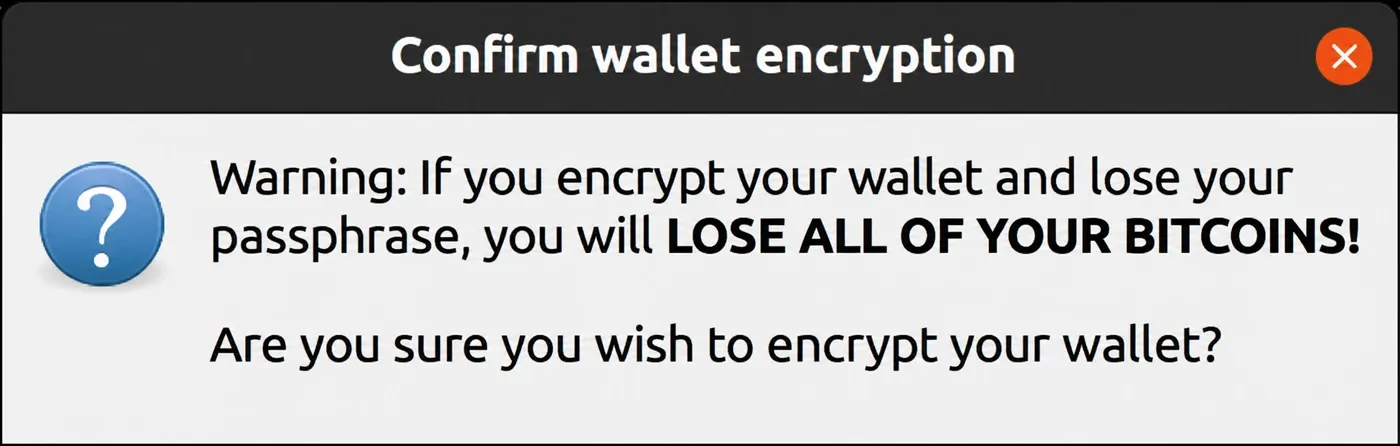
For an encrypted local-key wallet, Core normally asks for the passphrase when sending. Its passphrase-change command requires the current passphrase. Changing a password is therefore not a reset method. Reinstalling Core, downloading the blockchain again or restoring the same encrypted backup won’t remove its encryption.
If Core reports a database, loading or migration error, stop treating it as a rejected password. Those errors need the file-restoration branch. Keep the exact error and version for diagnosis, with private paths and wallet identifiers removed before posting publicly.
Keep the original and your clues private
Use only a wallet you own or are authorized to recover. Keep an untouched original or known-good backup, and use a separate working copy for any tool. Core’s documented Backup Wallet operation creates a consistent backup; don’t casually copy an actively changing database and assume the copy is sound. If a drive is failing or the file is corrupted, preserve the device and seek a file-recovery assessment before a password search.
Record the wallet’s origin, approximate creation period, encryption history and which backup came from which machine. Look locally for your password-manager entry, written record or offline backup notes. A password without the wallet’s key data cannot recreate the wallet. Conversely, an older unencrypted copy or independently stored private keys might provide another route, but only for the keys and addresses that copy contains.
Don’t upload the wallet, private keys, private descriptors or password clues to a public forum, chat or AI service. Encryption doesn’t hide all wallet metadata, and anyone with the complete file can keep trying passwords. The BTCRecover security notes also warn that password material can remain in plain files, memory and paging storage. A recovery working folder is sensitive even when the wallet stays encrypted.
Check the small mistakes before a broad search
On a trusted device, confirm that you’ve selected the intended wallet and are entering the password you assigned to that wallet. Check Caps Lock, keyboard language, capitalization, punctuation and accidental spaces. Keep any written candidate list private. If you reveal a password to inspect it, make sure screen sharing and recording are off.
Write down what you genuinely remember: likely words, their order, a fixed beginning or ending, approximate length and the kinds of substitutions you used. Separate a remembered detail from a guess. For example, remembering a particular word with uncertain capitalization gives you a much smaller task than inventing every possible phrase that could include it.
I’d keep a private record of which exact variants were tried and against which working copy. Repeating the same unsuccessful guess adds no information. A record also helps you notice that a promising password belongs to another wallet or to an earlier backup.
Make a bounded recovery plan
BTCRecover is designed to try combinations of a mostly remembered password. It offers password lists, combinations of remembered pieces and controlled typo variations. These methods test candidates against encrypted wallet data; they don’t ask Bitcoin’s network to issue a replacement password.
Before starting a search, define the following in private:
- The input. Identify a preserved, owned wallet backup and a separate working copy. Confirm that the chosen tool and version support its wallet format. The name
wallet.datalone doesn’t establish whether the database is legacy Berkeley DB or SQLite. - The candidate range. Use a short list for complete remembered passwords, or a token list for remembered pieces. Add only typo rules that match a plausible mistake. Extra wildcard positions and typo combinations can expand the search sharply.
- A private configuration check. BTCRecover’s candidate preview shows what a configuration would generate. Check that it includes the intended forms before committing to a large run. That preview can expose passwords, so don’t paste it into a support request.
- A stopping point. Set an affordable resource limit and record the configuration and progress. If you need resuming, check the selected mode’s support: the documented autosave feature applies to token files, not password lists.
Use the maintainer’s current instructions for installation and your chosen mode. Keep wallet material on a trusted recovery machine; don’t copy commands from an unsolicited message or run an unfamiliar download against the only wallet copy. Password search does not require sending the complete wallet to a website.
An exhausted search means that the tested candidate set didn’t produce the password. It doesn’t prove that every possible password was checked. Review whether you selected the right wallet, supported format and intended candidate range before widening the search. BTCRecover’s own limitations also acknowledge that software or configuration problems can prevent a result.
Don’t confuse faster guessing with a likely recovery
More computing power can test candidates faster, but it cannot supply missing memory. Recovery speed also depends on the wallet’s password-derivation work and the search configuration. A headline GPU rate or a video’s speed multiplier is not a completion-time estimate for your wallet.
I wouldn’t rent cloud hardware until the candidate range and data-disclosure arrangement are clear. A small set of plausible corrections is a different proposition from an unknown, long, randomly generated password. With no useful clues and no alternative key backup, preserving the material for a future lead may be more sensible than paying for an open-ended search.
Set terms before giving a specialist access
A specialist may help configure a search or assess damaged material. Before sharing secrets, ask what exact problem they will address, what ownership evidence they require, which data they need, where it will be processed and who can access it. Get the fee basis, spending cap, definition of success, custody arrangements and data-retention terms in writing. A promise of guaranteed recovery doesn’t answer any of those questions.
Ask whether a format-appropriate, limited extract can replace the complete wallet. BTCRecover’s Core extract documentation describes password-checking data that omits the wallet’s address and private-key records. That is a specific data-minimization method, not a reason to trust any file someone calls a “hash.” Have the extraction method and output checked before disclosure, and keep password clues private as well. A found password may also matter to other accounts if you reused it.
I’d reject unsolicited recovery messages, requests for remote control of a funded wallet, or demands to send coins to “activate” recovery. Verify the provider independently rather than through the contact details in the message. If they will receive the full wallet and the recovered password, understand that they may gain spending access; a contract doesn’t technically prevent copying keys.
Check a found password and secure the recovered wallet
Validate a reported candidate locally in authentic Core on a trusted machine and against the intended wallet. A tool’s success message is not proof that the correct wallet and funds are ready. Check the expected wallet history and addresses as well as the passphrase; if a backup first needs restoration, use the separate file-restoration route rather than overwriting your original.
If you use Core’s local RPC interface, its walletpassphrase method checks the passphrase and temporarily holds the decryption key in memory. Target the intended wallet and use a short timeout. A successful call returns null; an incorrect passphrase returns an error. This check doesn’t send a transaction. Afterward, walletlock removes the decryption key from memory. Keep the RPC interface private and never paste the secret into a shared terminal or support transcript.
Once access is restored, record the working passphrase securely. If you change it, Core requires the old passphrase, and its wallet guidance calls for a fresh backup immediately afterward. Check that the backup completed and that you can identify it later, with the passphrase stored separately.
If private keys or a complete wallet plus its passphrase were exposed to an untrusted party, a password change alone doesn’t revoke their key copy. Use a new wallet with fresh keys on a trusted device for funds you need to secure, and verify its receiving address before any transfer. Keep the old records until you’ve confirmed the recovery and any transaction.
For the node and wallet tasks around this recovery, return to the Bitcoin nodes and wallets hub. With no candidate or alternative key material available, keep the original backup and a private account of what was tried; don’t replace that evidence with another paid promise.